


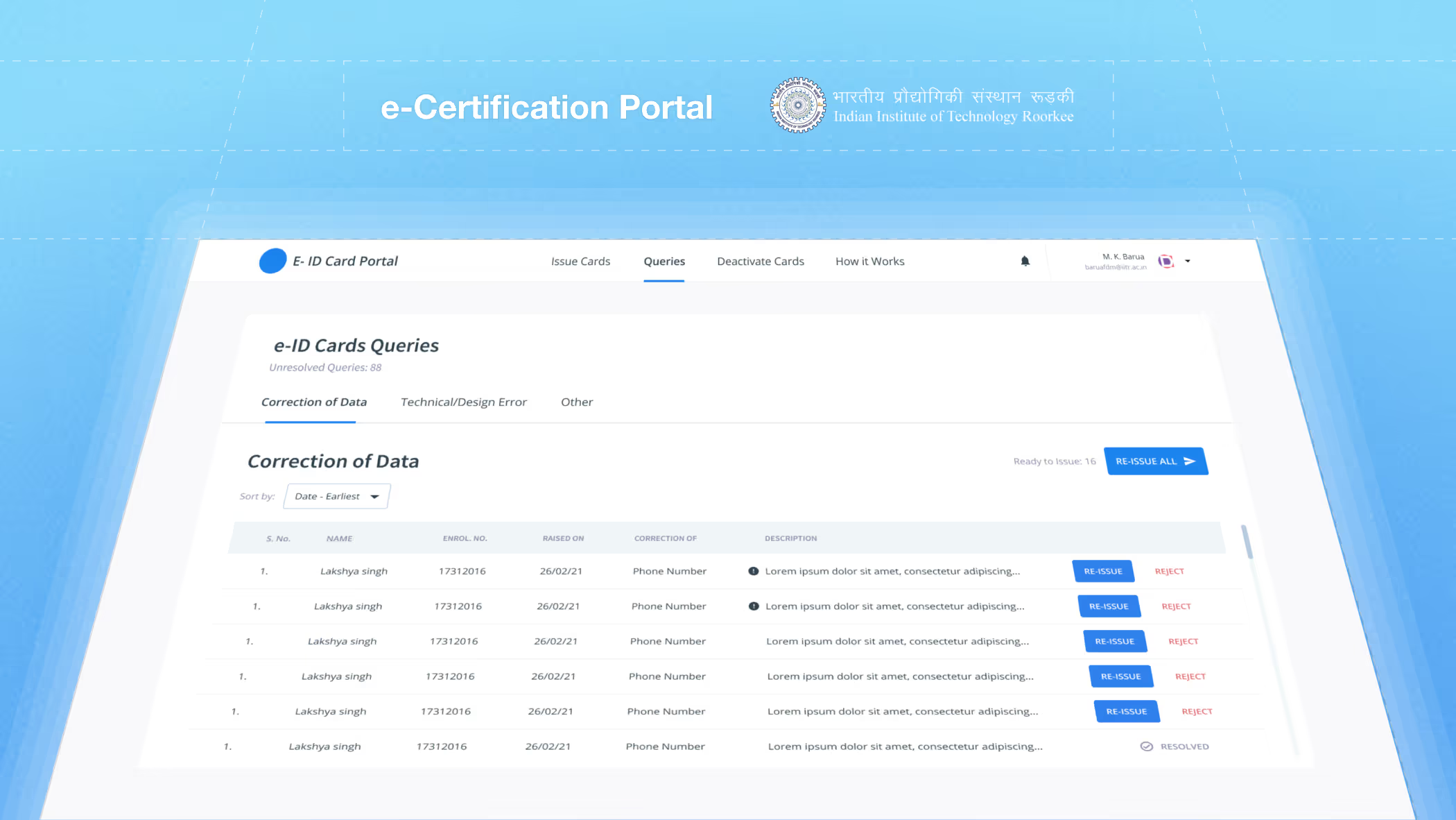
Distributing and managing the physical ID cards of more than 8000 students was a hassle for the Dean of Students' Welfare. Hence we developed this in-house tool digitalize ID cards, distribute them, and manage and resolve queries if any.
Overview
Digitalising the students' ID card, and building a distribution, renewal, and query management portal for IIT Roorkee.
Results

Process
IIT Roorkee, up until 2021, issued physical ID cards for all their students and staff. Although they were convenient in the conventional sense, they presented their own set of problems:
The Dean of Students' Welfare (DoSW) attended to these queries. The process was as follows:
On top of all this, keeping track of the queries was extremely difficult due to a lack of system and procedure.
Actually, no. To understand the process, we had to first understand what different types of queries were.
This was the most common type. Students wanted their addresses, phone numbers and emergency contacts changed. The process was simple:
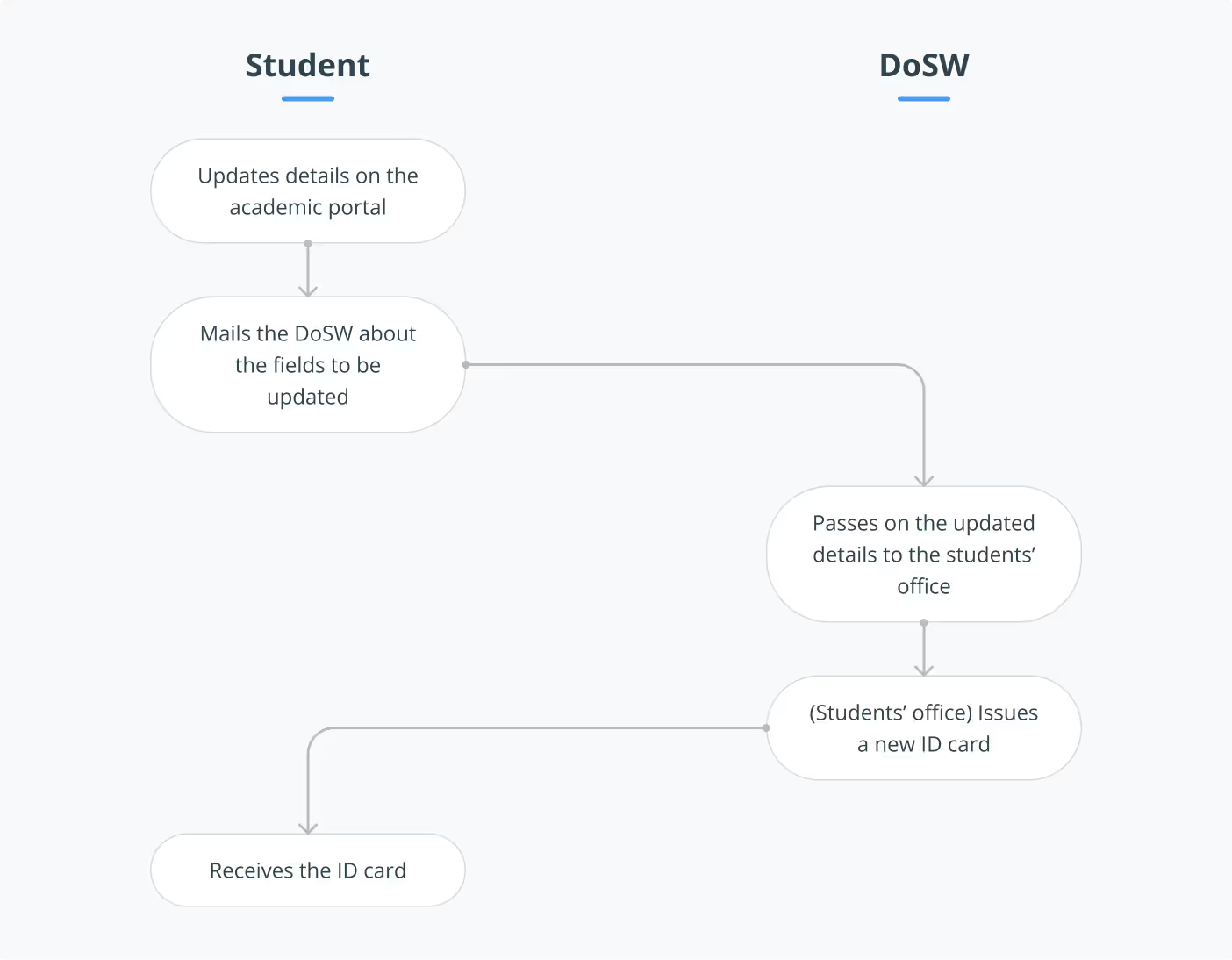
But students did not know about this process, hence a few extra steps were added:
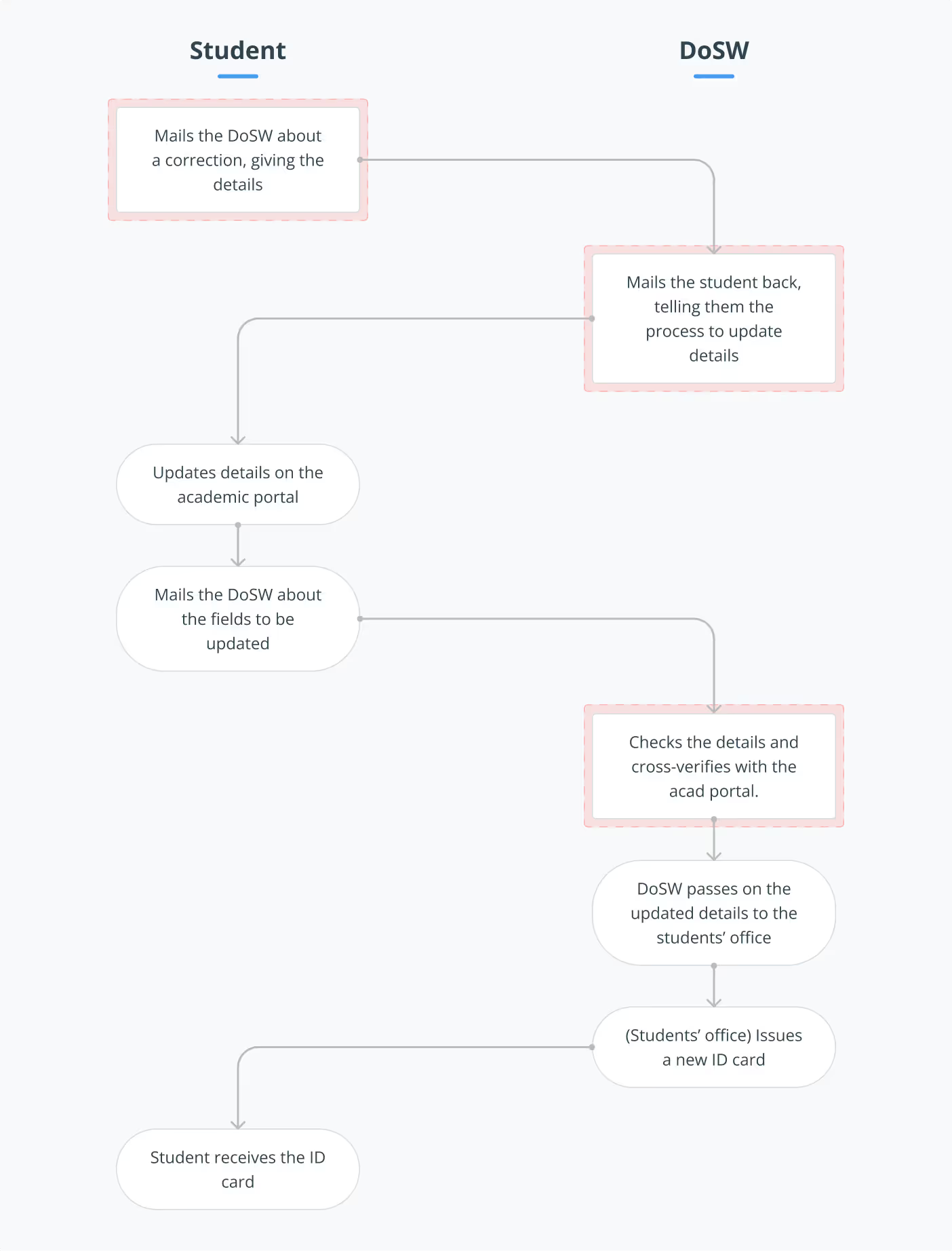
This added tediousness and delay in the process, not to mention the frustration on the admin's side.
ID cards for doctoral candidates were issued only for a year, and had to be renewed every subsequent year that they wanted to continue their research. Simiar to the previous case, there were differences in the ideal and actual flow:
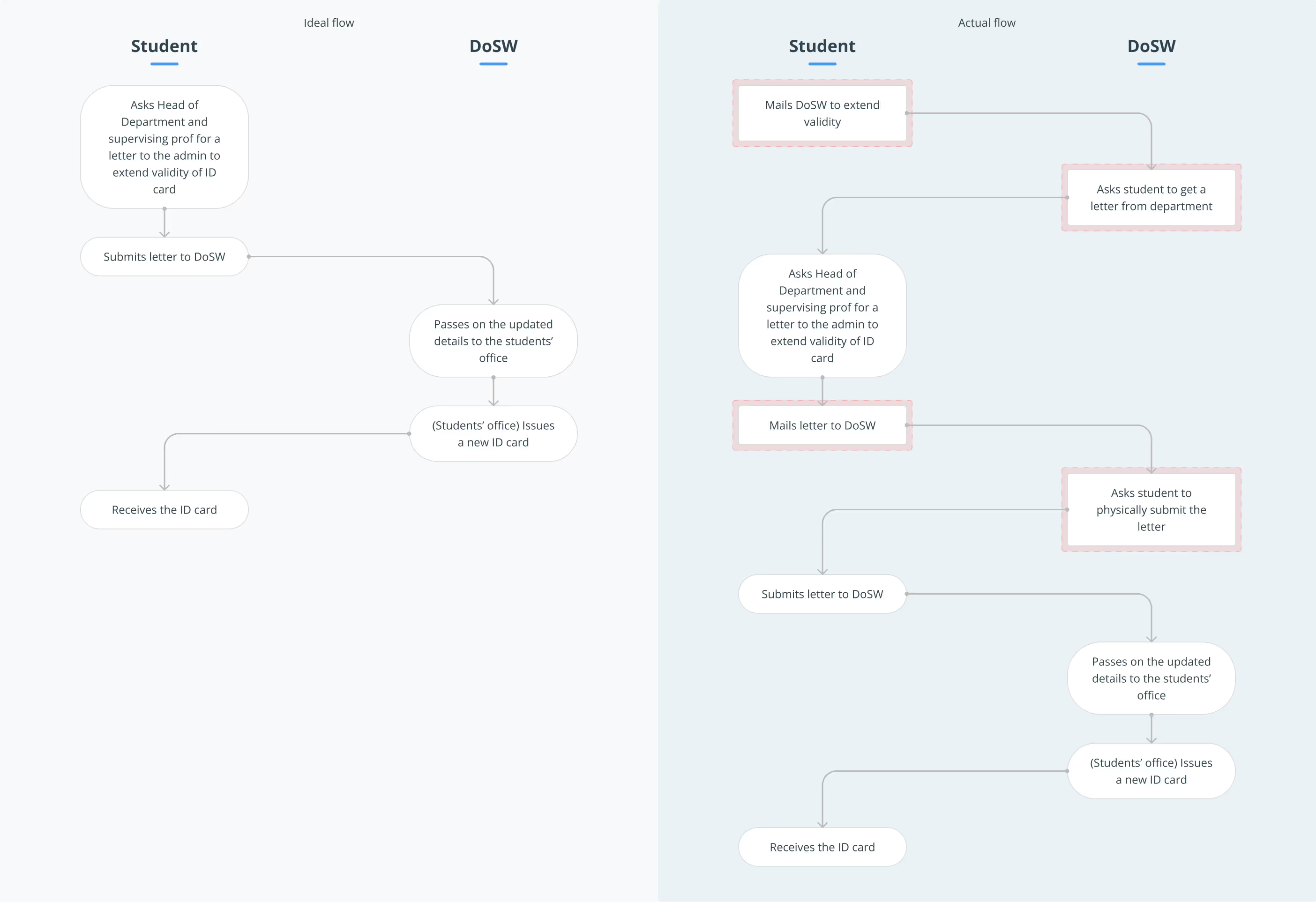
Similarly, the process was unnecessarily tedious for the last case, a lost ID card:
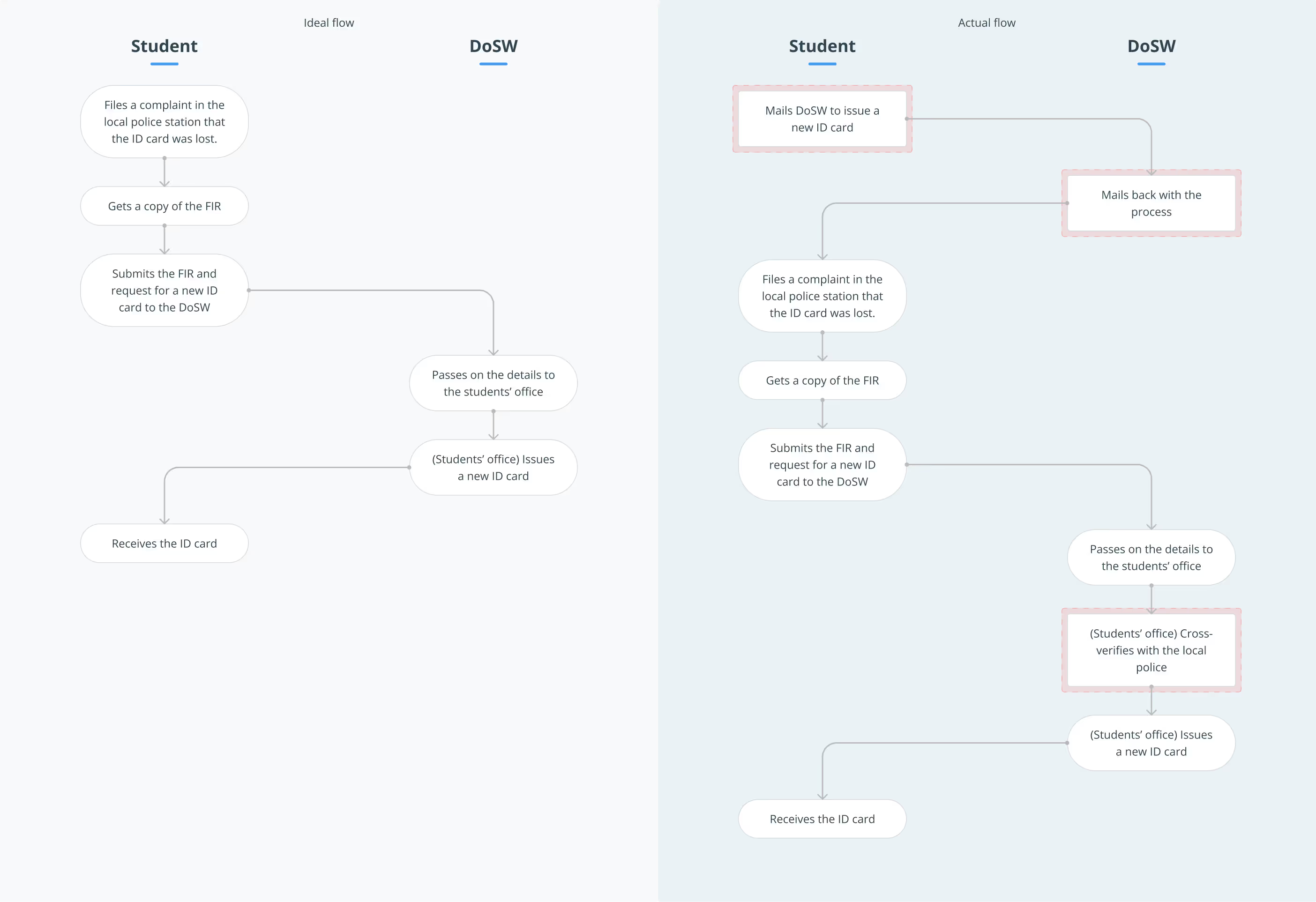
Each additional step added a few days to the entire process, with the end-to-end flow often taking more than 2 weeks. Hence, optimising the flow was our first priority.
We interviewed the people on the admin side of this process, and this is what they told us:
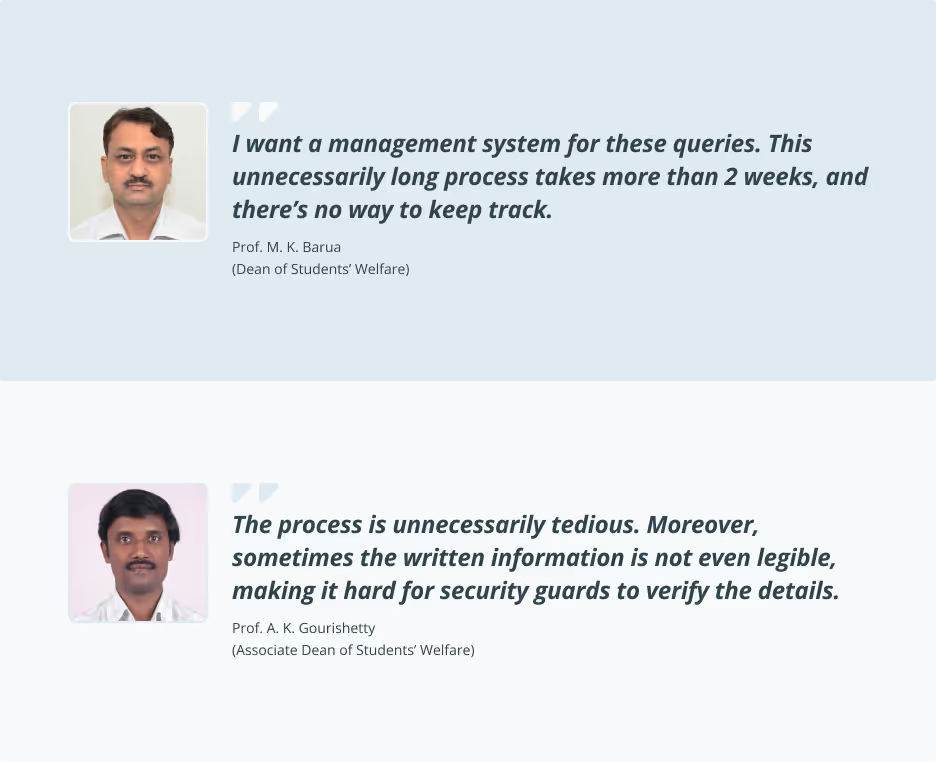
At this point, we laid down our two main problems to solve:
Having collected enough resources and data, we started developing multiple solutions for the same.
The ID card needed a revamp for efficient online usage. It had to be clear, consistent, legible and should display only the necessary information.
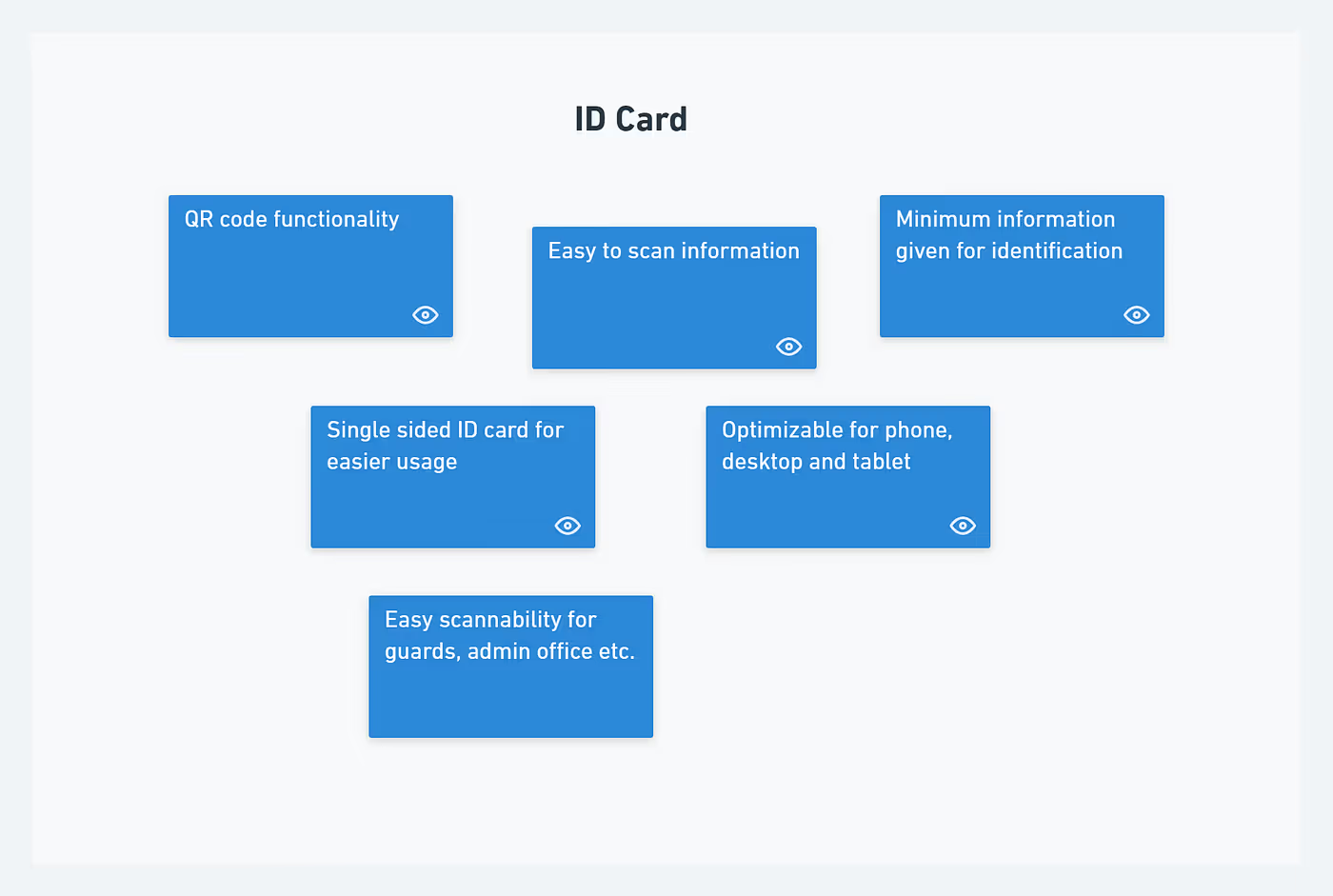
Apart from the standard info —
To tackle both of the factors, a QR code was introduced in the ID card. It served as an extra layer of authentication.
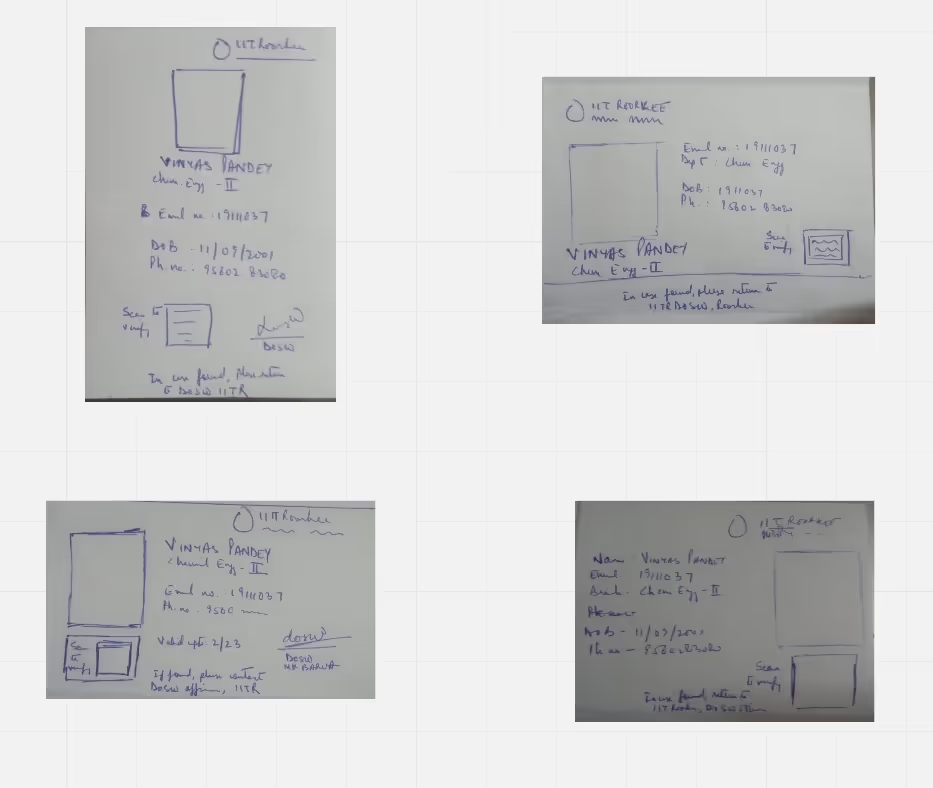
Some of the iterations created for the ID card are shown.

The student side portal had to take care of —
Some iterations of the same screen are shown below —
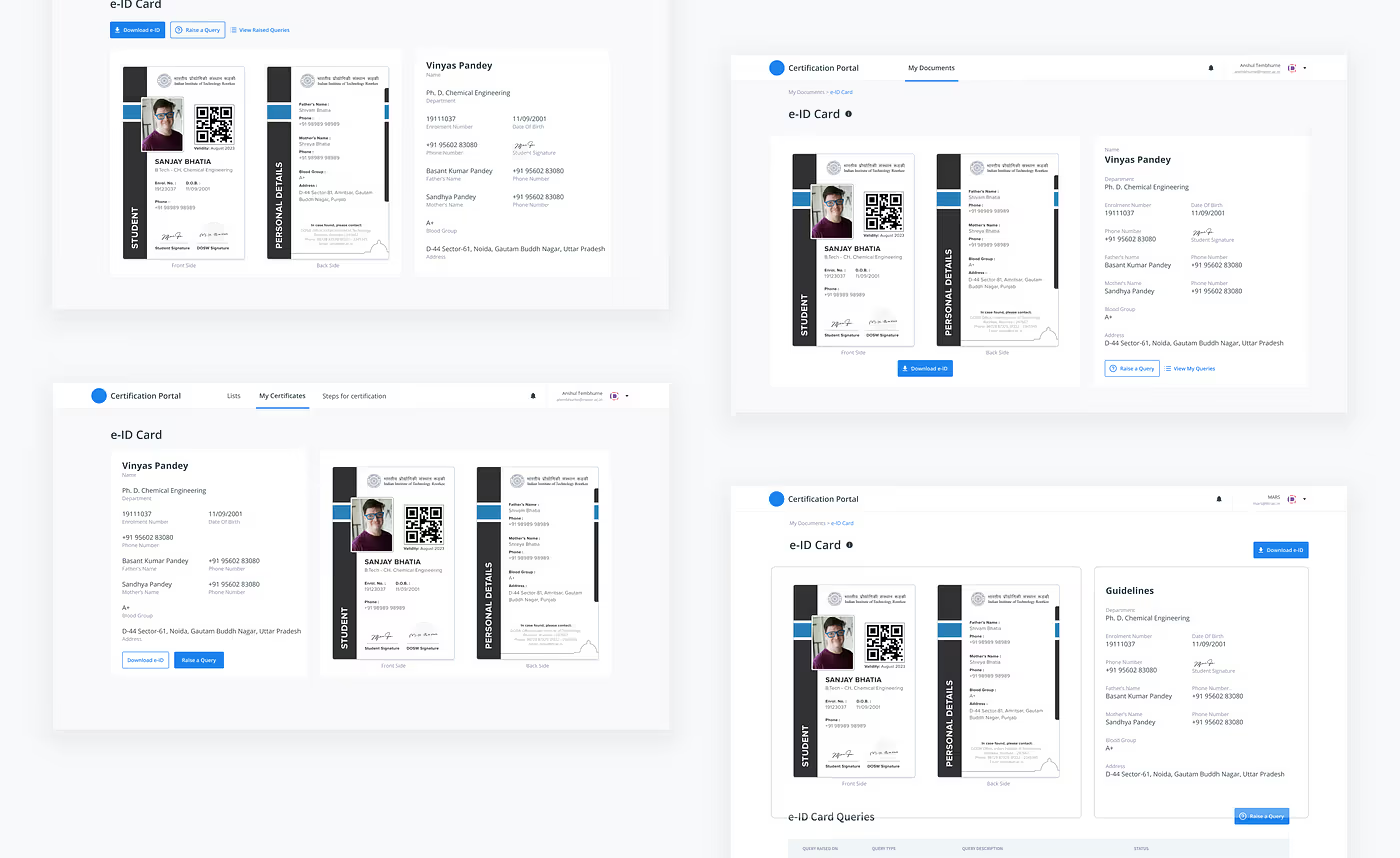
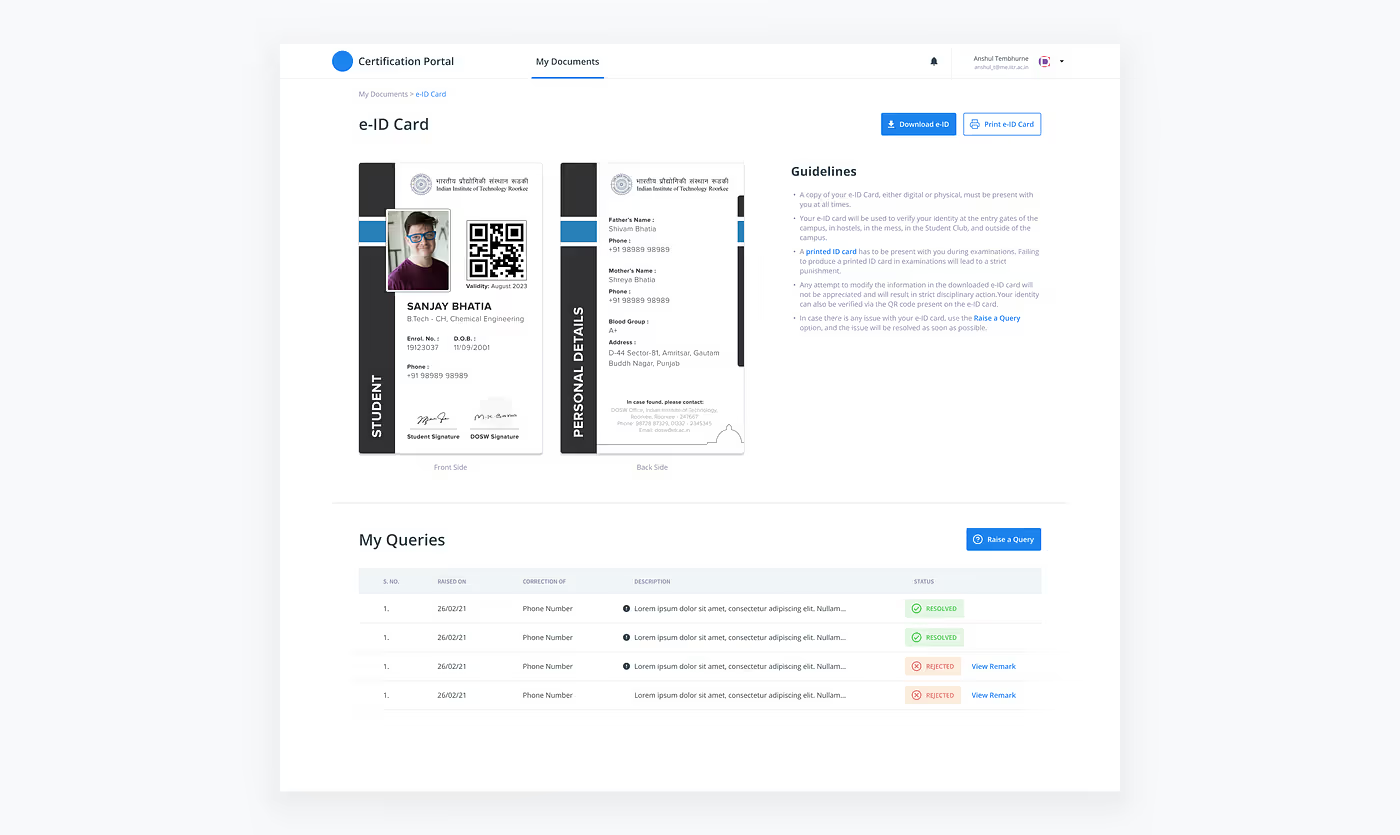
Changes were introduced in our feedback sessions with the DoSW. He asked us to give the information about the usage of the e-ID card and the option to directly print the card.
We tried to give an option for the student to edit their details here itself. But this was later deemed not possible as discussed later in the article.
This feature was already present widely in almost all websites and services. Thus, we had a load of resources to take inspiration from.
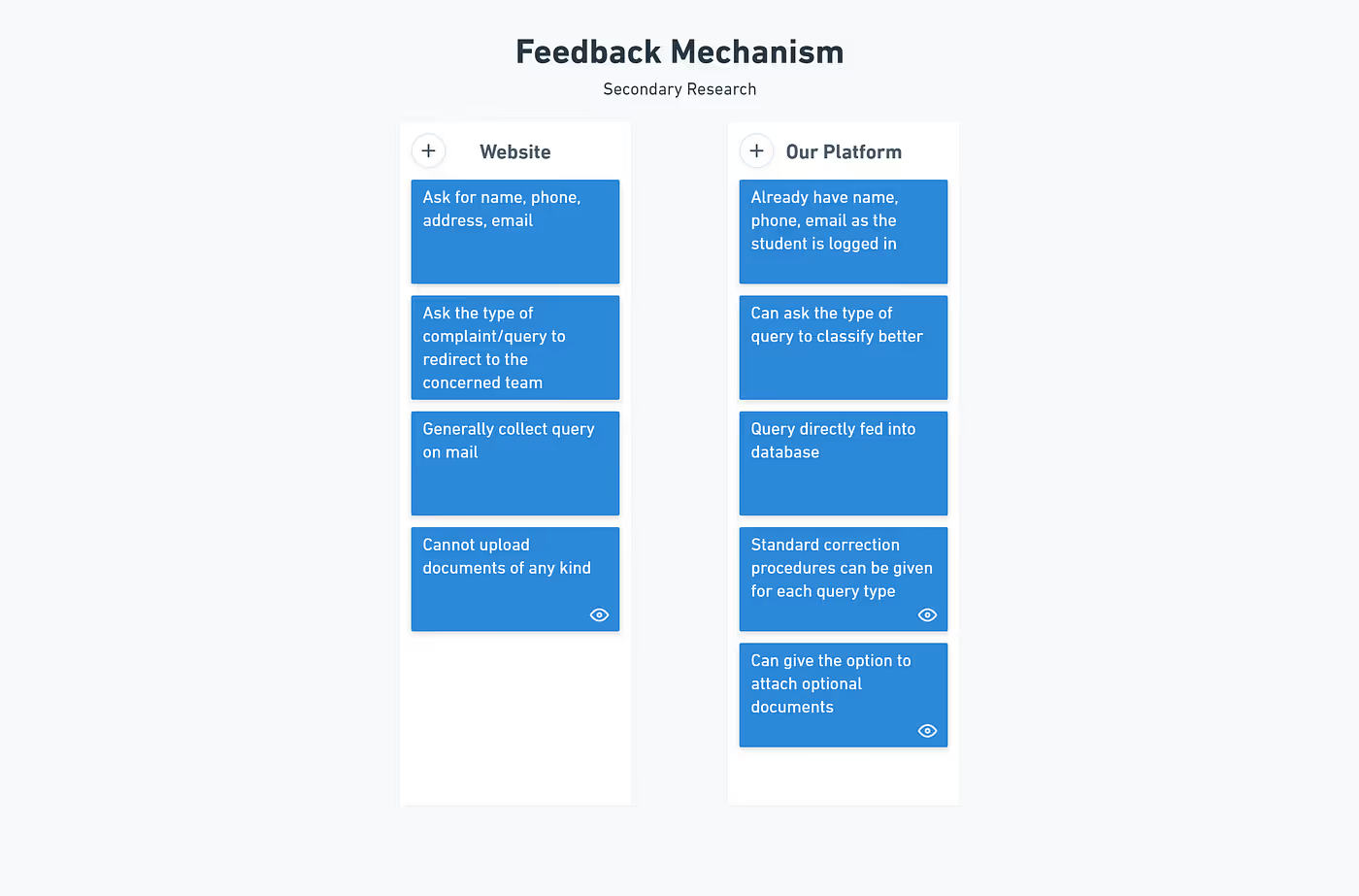
The query types that we thought could be there were —
In our exploration, we were thinking of giving a feature to directly message the DoSW. In our feedback session, it was revealed that this was not a good idea.
This was due to several reasons —

After several discussions, the chat feature was discarded, but we decided to give the student an option to explain their query in a description box.
Also, it was decided that in case the DoSW wants to reject a query, they should also explain the reason for rejection.
Hence, a single message chat system was incorporated into the product.
This part of the solution involved regular feedback and interviews since we were not familiar with the management techniques used by the DoSW.
We took inspiration from the already existing certification portal and referred to its design system.
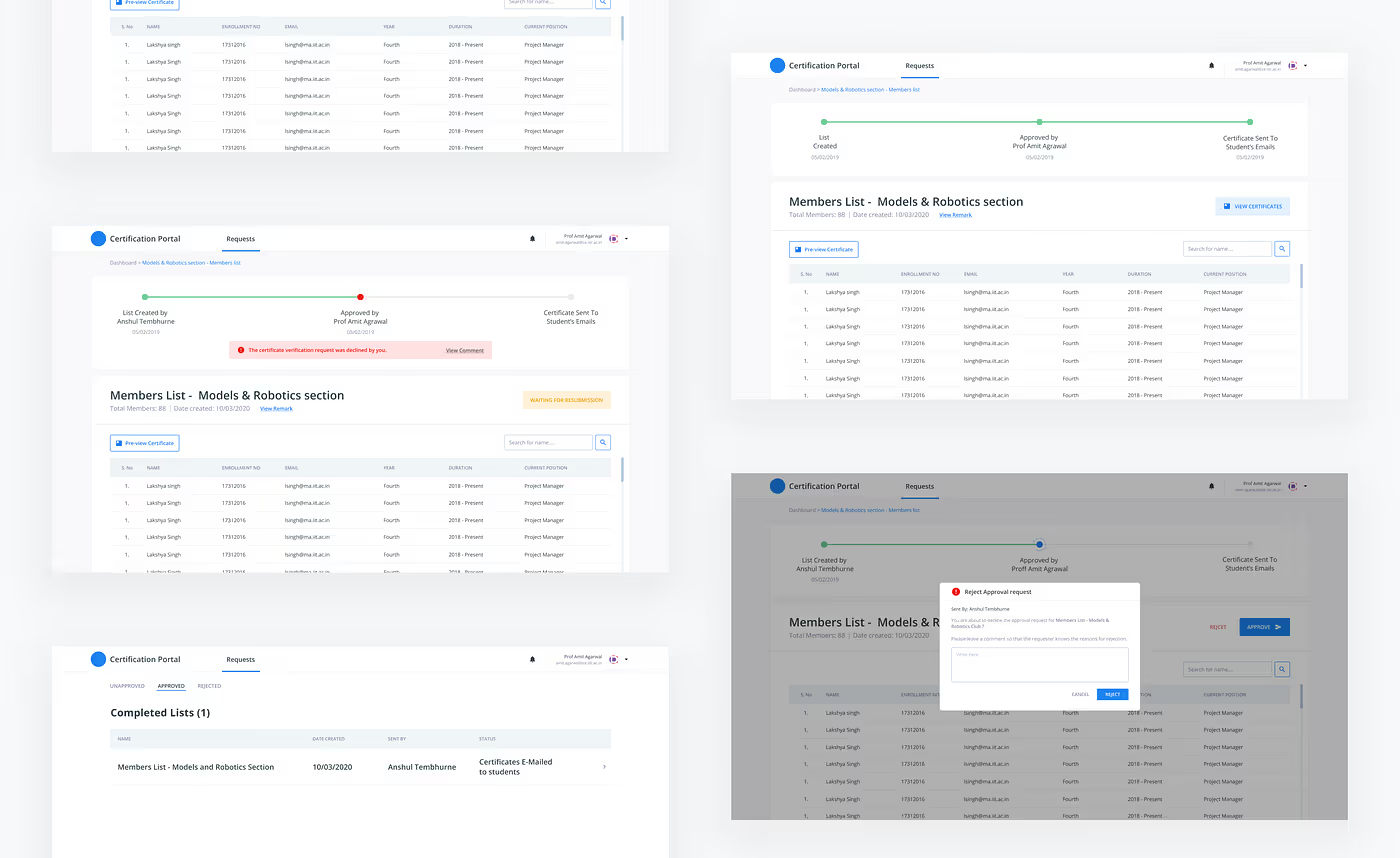
The certification portal consisted of —
On the e-ID management portal, we had to show—
In one of our discussions, the developer team explained to us the procedure to display the e-ID card —
They explained that they need not add the DoSW in the circle of issue and re-issue, since the ID card is generated dynamically. Hence, any information updated on the acad portal would be directly reflected in the ID card.
But the DoSW countered the proposition, saying that we are stripping the DoSW from their ability to control the flow of ID cards.
The DoSW demanded that the supreme authority of granting the ID card remain with him, and not be shifted to the frontend.
To maintain this balance of power we added a trigger in the portal — the information from the acad portal will only be refreshed once the DoSW agrees to reissue the ID card. Moreover, the ID card will only be reissued if the query on our portal and the changed information on the acad portal are identical.
Final solution
In the end, the ID card was decided to have 2 sides, since it was not feasible to put all the information in a legible format on a single side.
The colours were chosen to go with the institute’s website and branding. A clearer version of the logo than the previous ID card was placed on the top to add to the authenticity and pride of the institute.
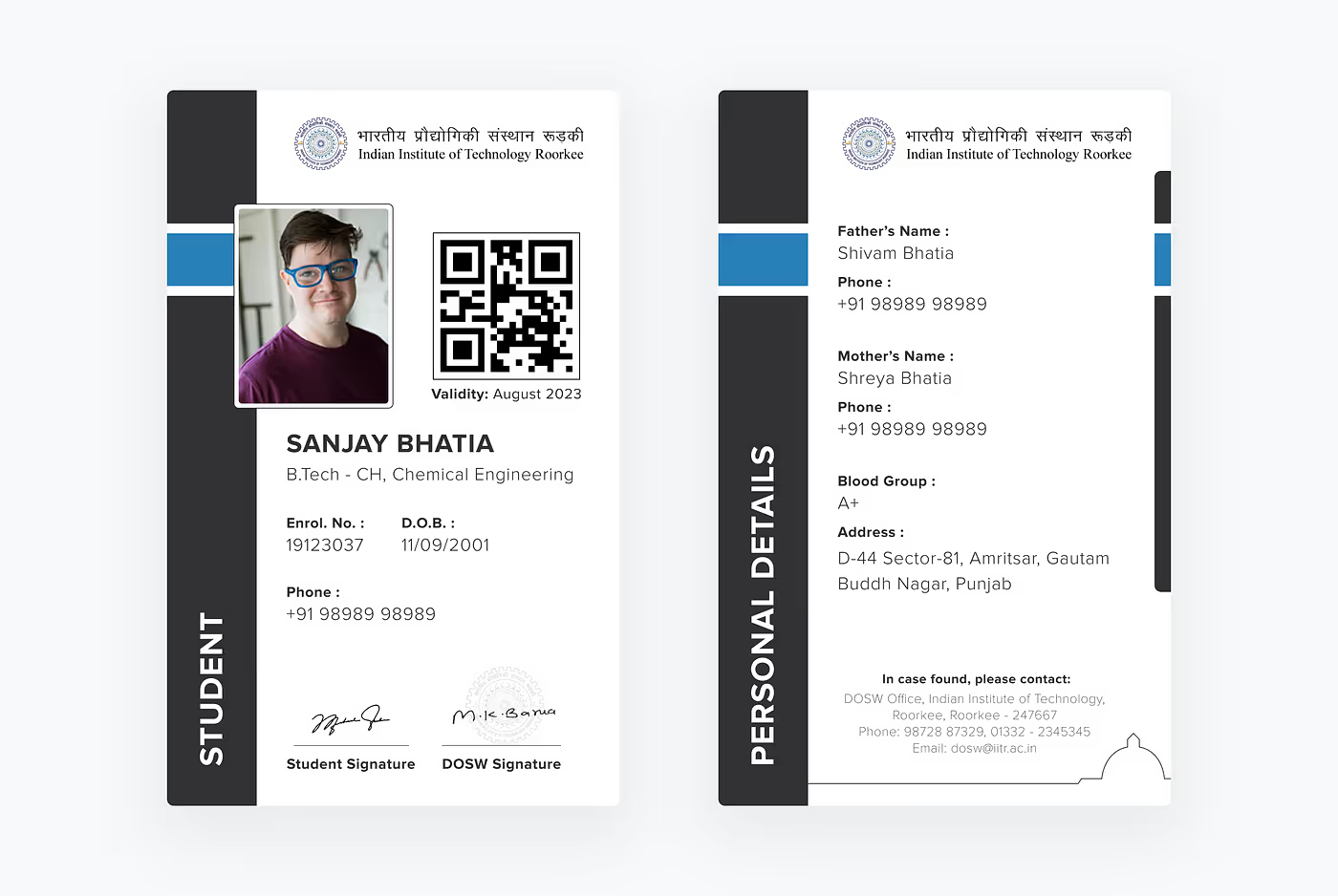
The design overall was liked by all as it was legible, easily scannable, and clean.
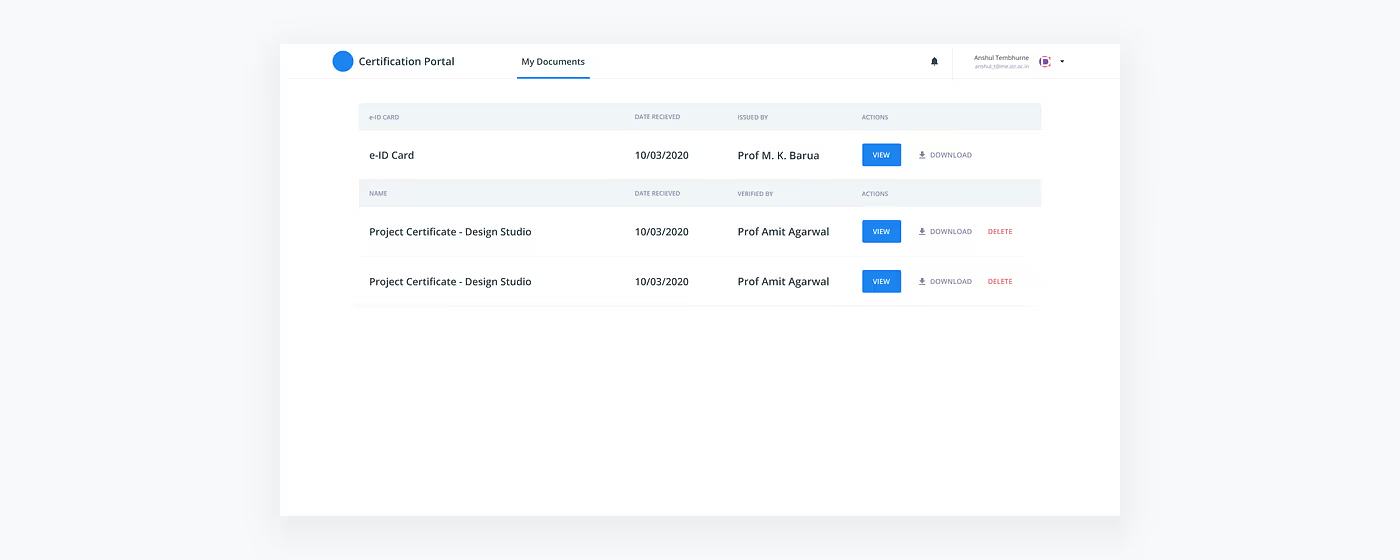
The e-ID card was given a separate row in the certificates table of the already existing certification portal.
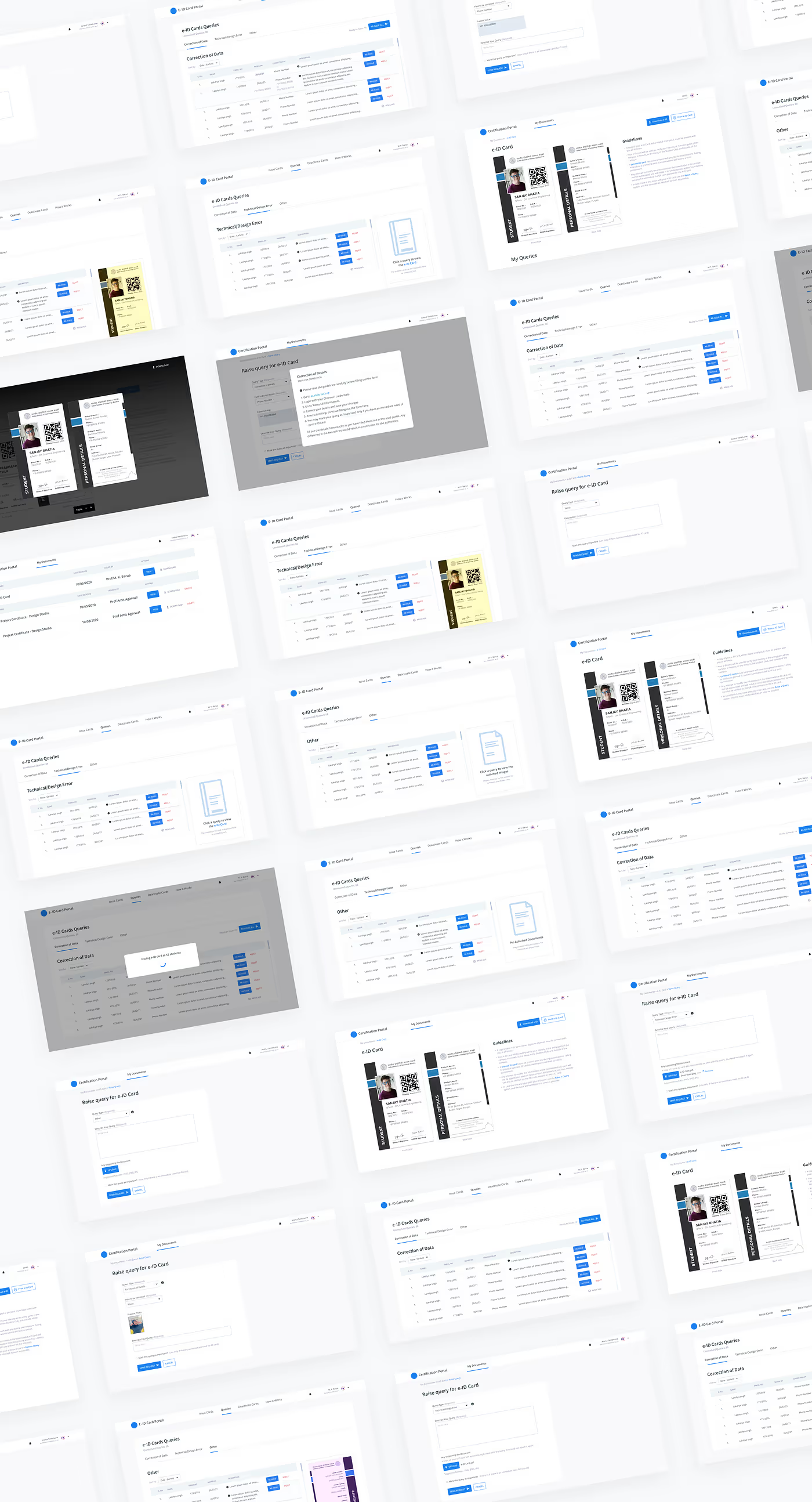
On clicking ‘view’, the ID card, instructions about its usage, and a list of raised queries were given, with the option to raise another.
The finalized flow for raising a query is as follows:

There are 3 pre-defined query types. The data entered in each of the query types varies—

A feature of the form is that one can mark their query as important. On doing so, the query is shown at the top of DoSW’s portal. An exclamation mark denotes the same. This is to take care of instances where a person urgently needs their ID card.
In addition to the form, the standard procedure for correcting the query is given as an overlay when a query type is selected.

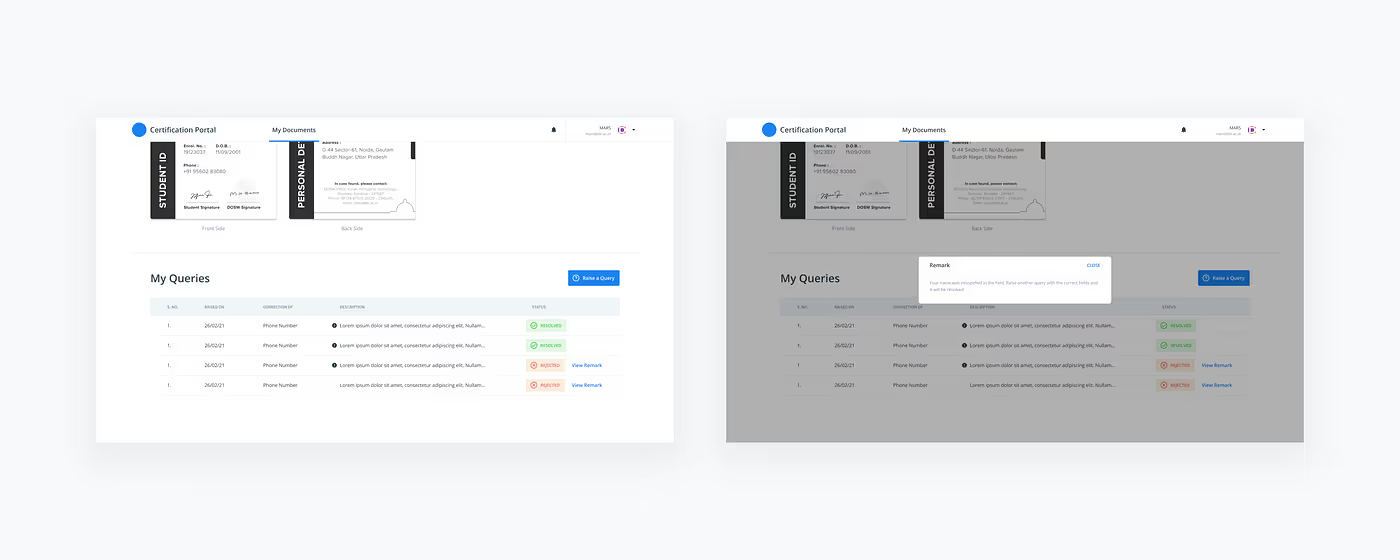
After raising a query, one has the option to know the status of their queries. This is shown where a person’s queries are present.

A query entry shows the type of query, the date it was raised, the description, and the status. In case the query is resolved, all is well and good. If it is rejected, one may see the remark associated with it.
This was the final product on my part. The finalized flow for the same is given below:

The queries that couldn’t be handled by the DoSW (eg. glitchy name, unsupported characters etc.) were to be forwarded to the technical team manually.
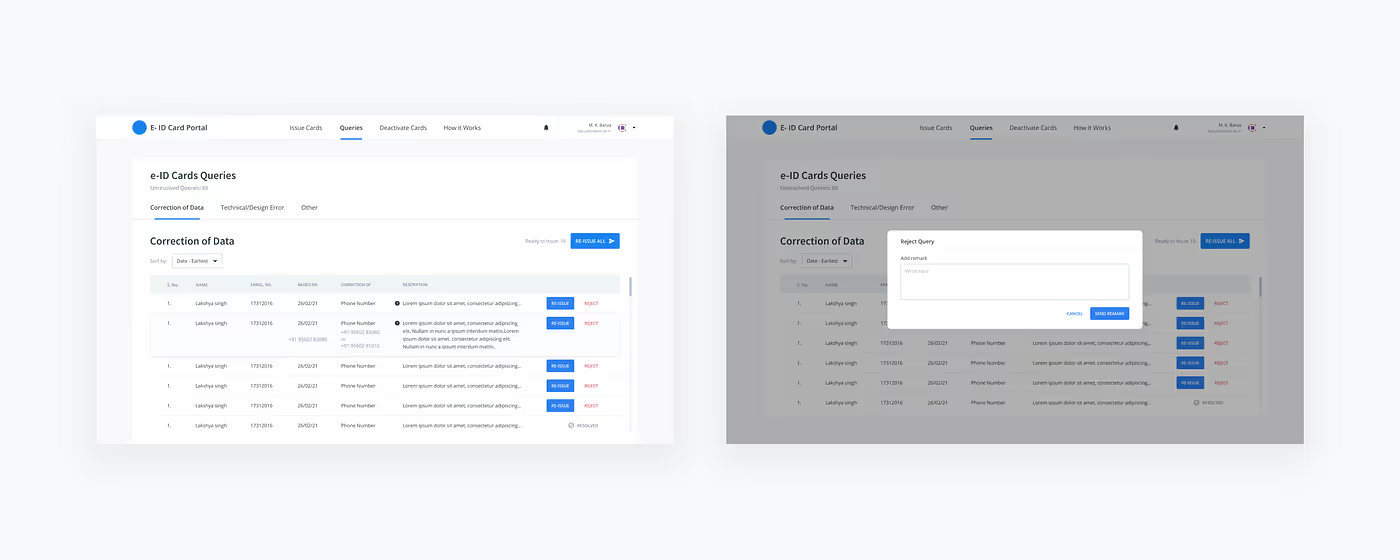
The queries are shows in a systematic, easy to scan list. The important queries are shown at the top, while other queries are shown after that. The resolved queries are shown at the bottom.
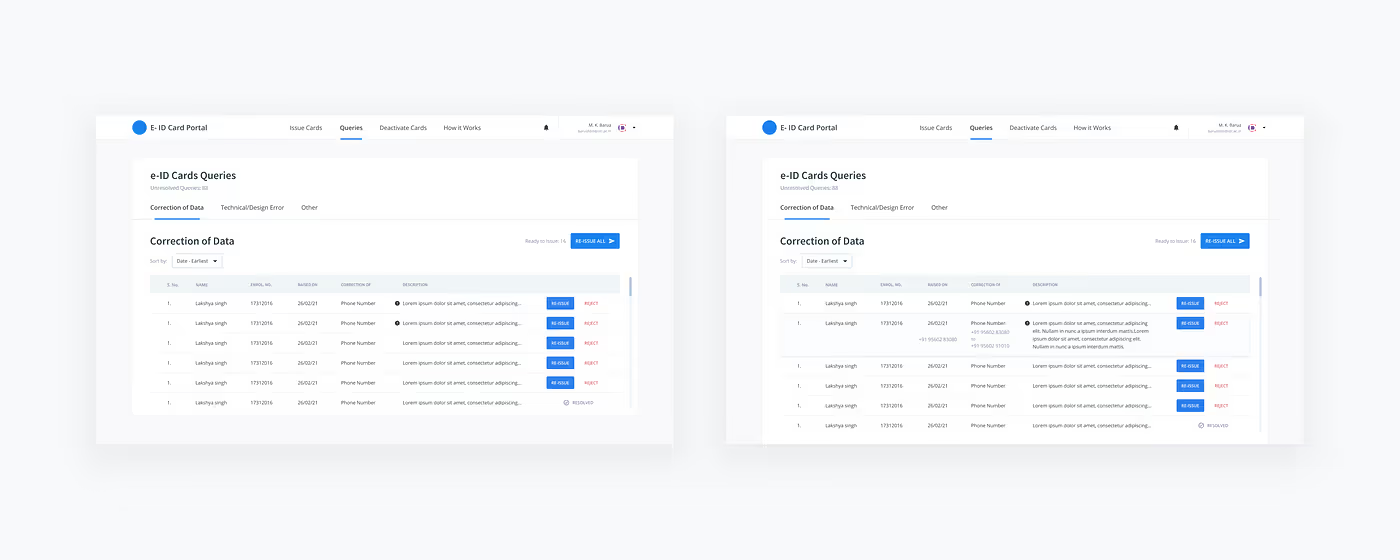
In case a query has to be rejected, a message stating why it has been rejected also needs to be added.
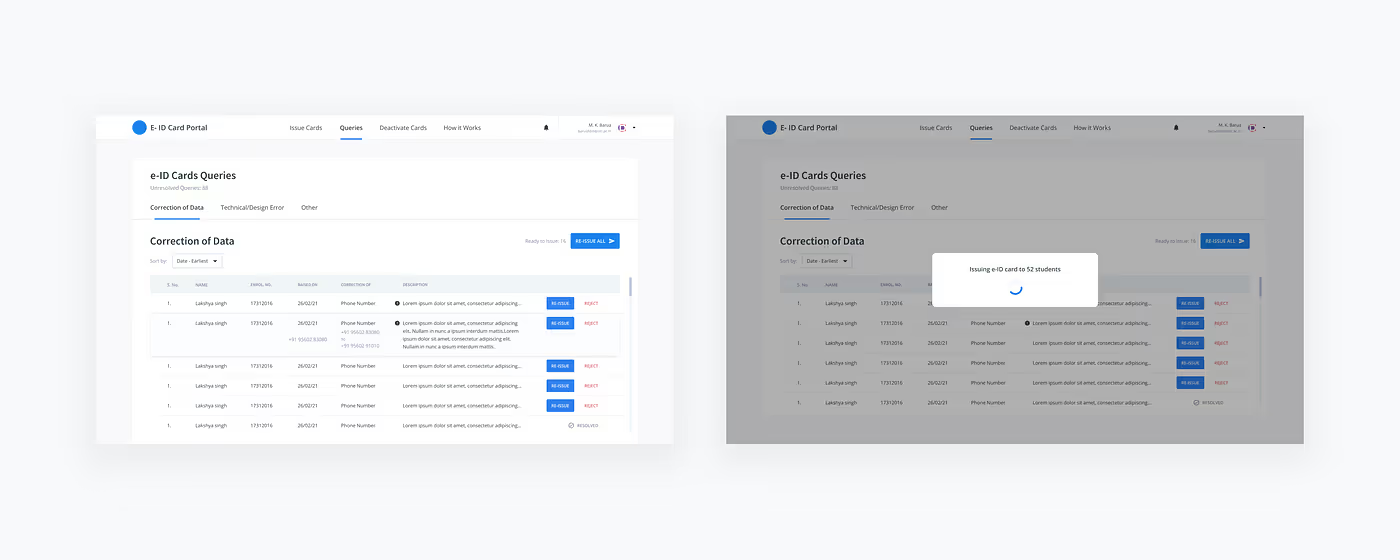
Resolve All — A ‘Resolve all’ button was given as a bulk action for the table. This was useful in case of technical glitches, where a reissue of an ID card was necessary.
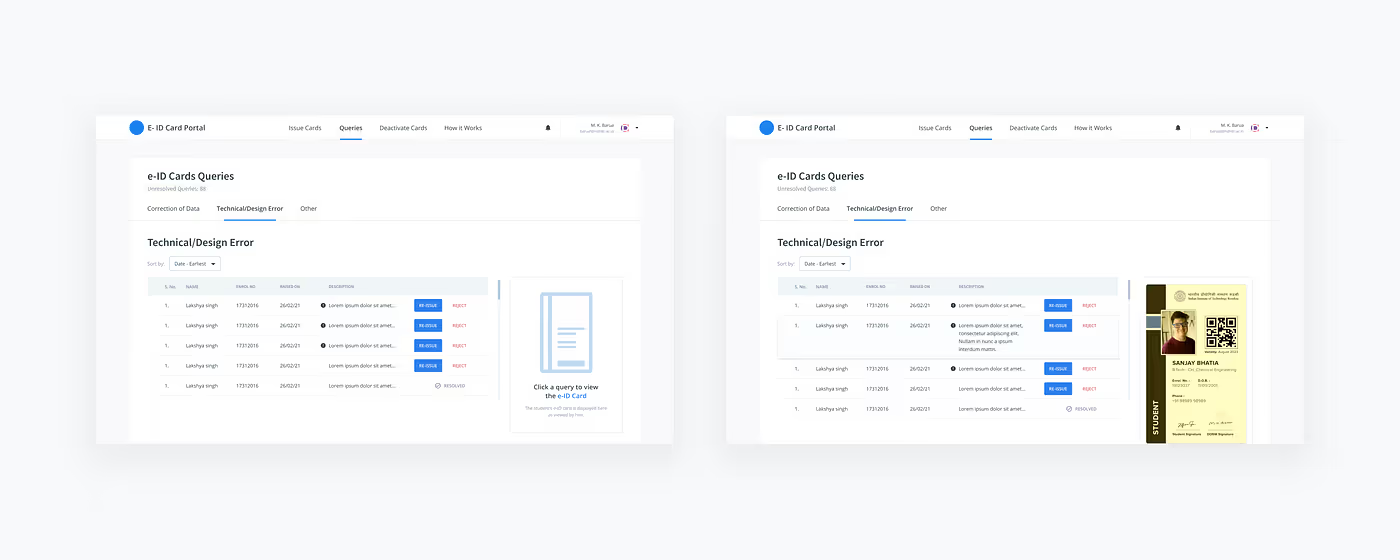
This query type takes care of glitchy errors in name, layout, colour etc. This was quite common in the initial rollout since the frontend was buggy, and not responsive. The DoSW received a ton of queries regarding the same.
As mentioned earlier, a photo of the ID card is always attached with the query, while any additional documents that might be needed are attached by the student.
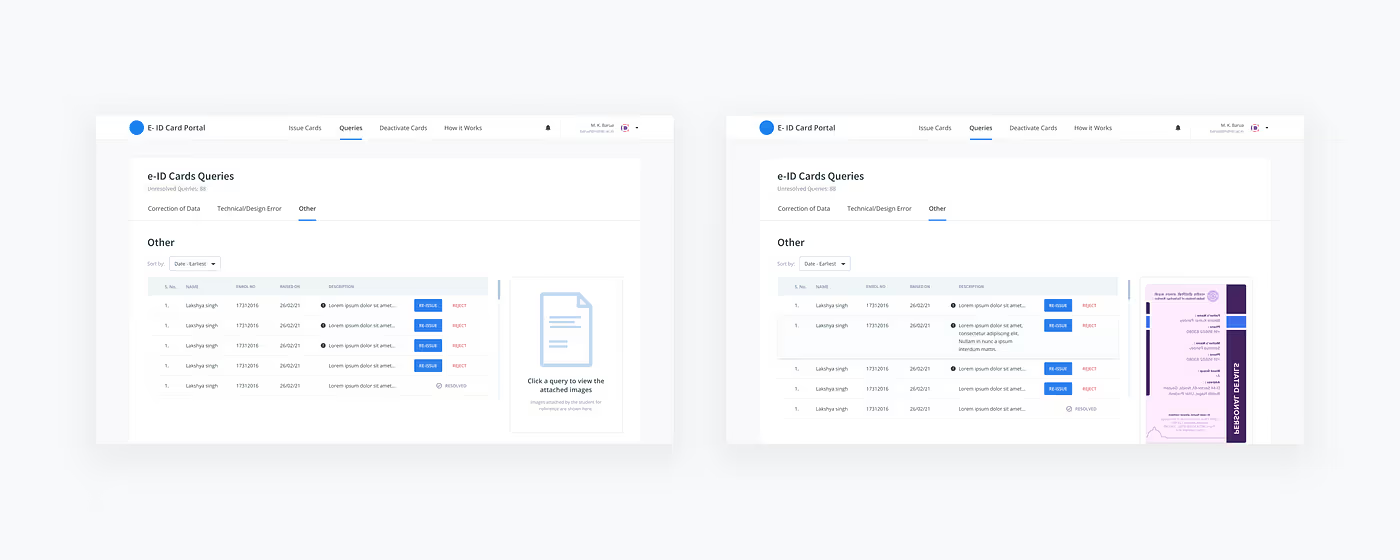
These consisted of all the other types of errors that could be there. The screens were similar to the technical/design error screens.
Although this type was used only in cases where an extension of the validity of the ID card was required.
Extras
Teamwork, dedication and a deep understanding of the academic system allowed us to successfully deliver the finalised product.
It was a highly intensive project, having to coordinate between the development team and the administration, listening to their queries and needs, and demanding in-depth research.


