


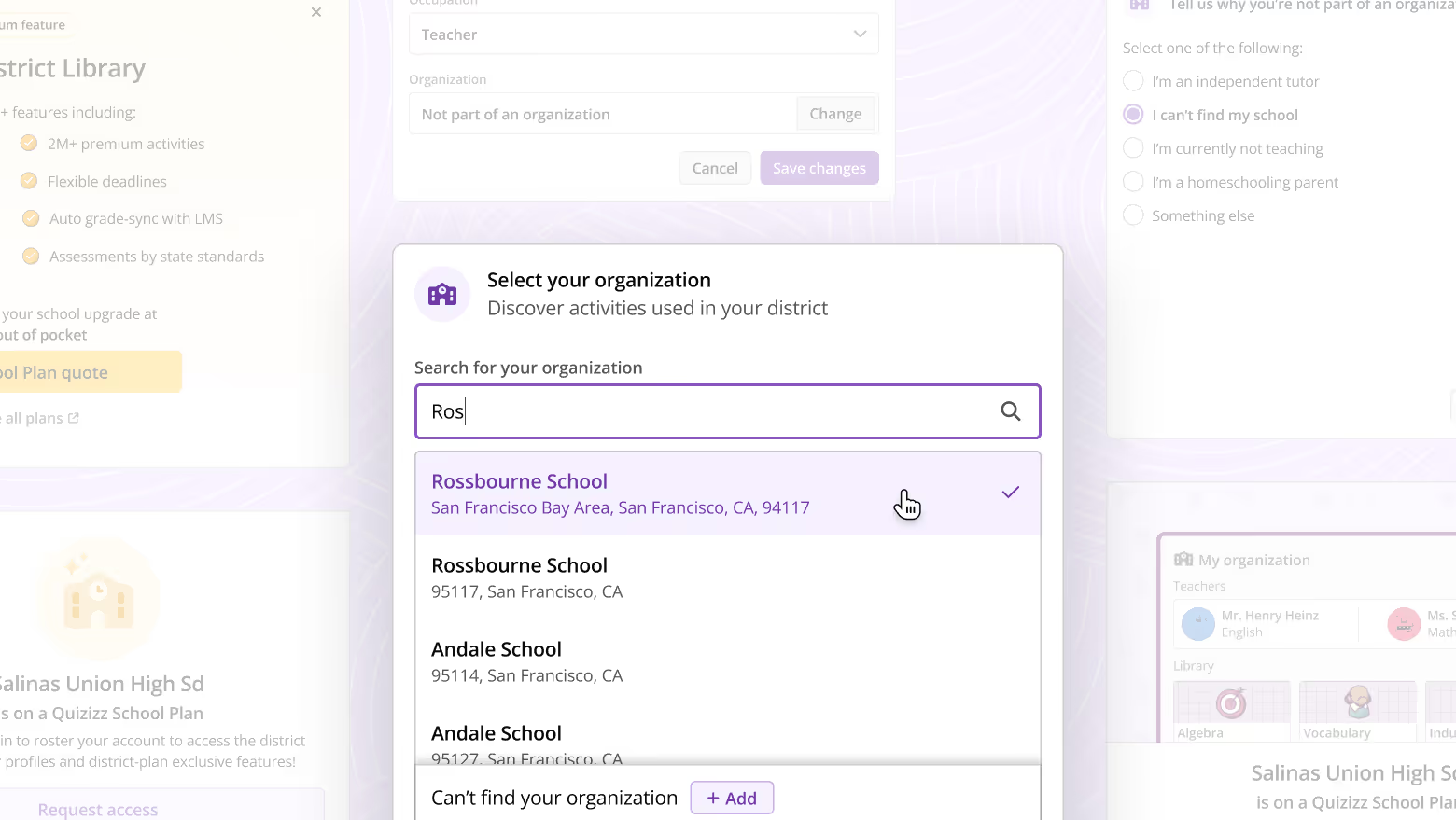
Inaccuracy of org data is a problem that is very prominent in Quizizz. This affects content recommendation accuracy, reduced admin trust, and hassles in lead generation. This project rethinks the org picker for teachers to make it easier for users to find their org, improve accuracy, and reduce dropoffs.
Overview
Improve the org picker to promote accurate org selection, reduce dropoffs and improve data accuracy.
Results

Process
Every teacher has an organisation (school or school district) that they are associated with. As a part of the Quizizz signup process, every teacher has to submit this information.
At the org picker step, teachers took one of several paths:
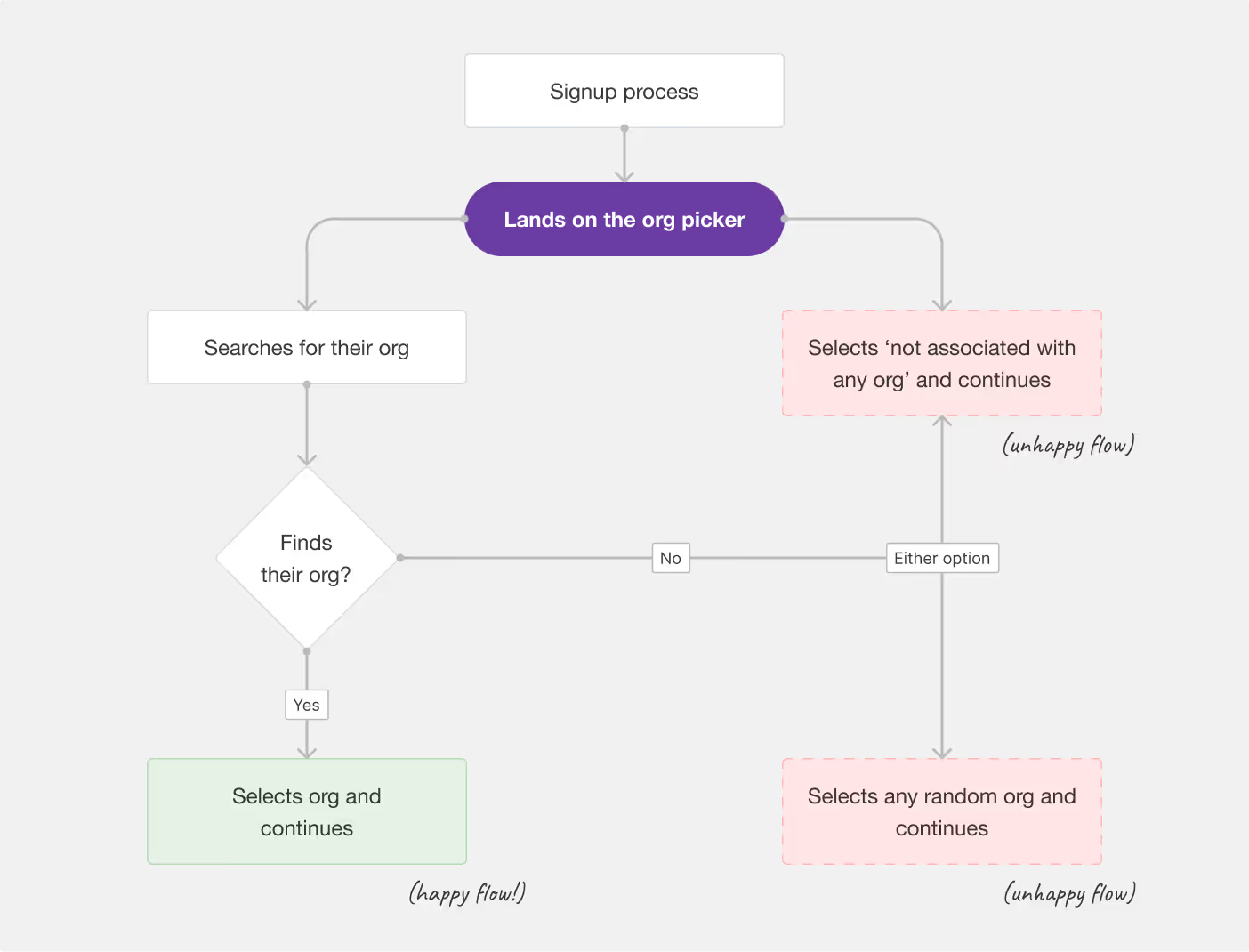
Note that only one of these flows is favourable, where the teacher selects their correct org.
Org accuracy helps us understand which schools and districts have active Quizizz users, which directly affects the sales funnel. Improving the accuracy of users' data will help the sales team prepare a better pitch for the clients.
Paid schools and districts also had concerns that their data is publicly avaiable and anyone can claim to be a teacher of their org. This exposes their list of teachers, their resource library, and other data.
We pinpointed several reasons why teachers might be seeing this step as a hassle.
The default list in the modal was sorted according to the user's location, but it was rarely accurate.
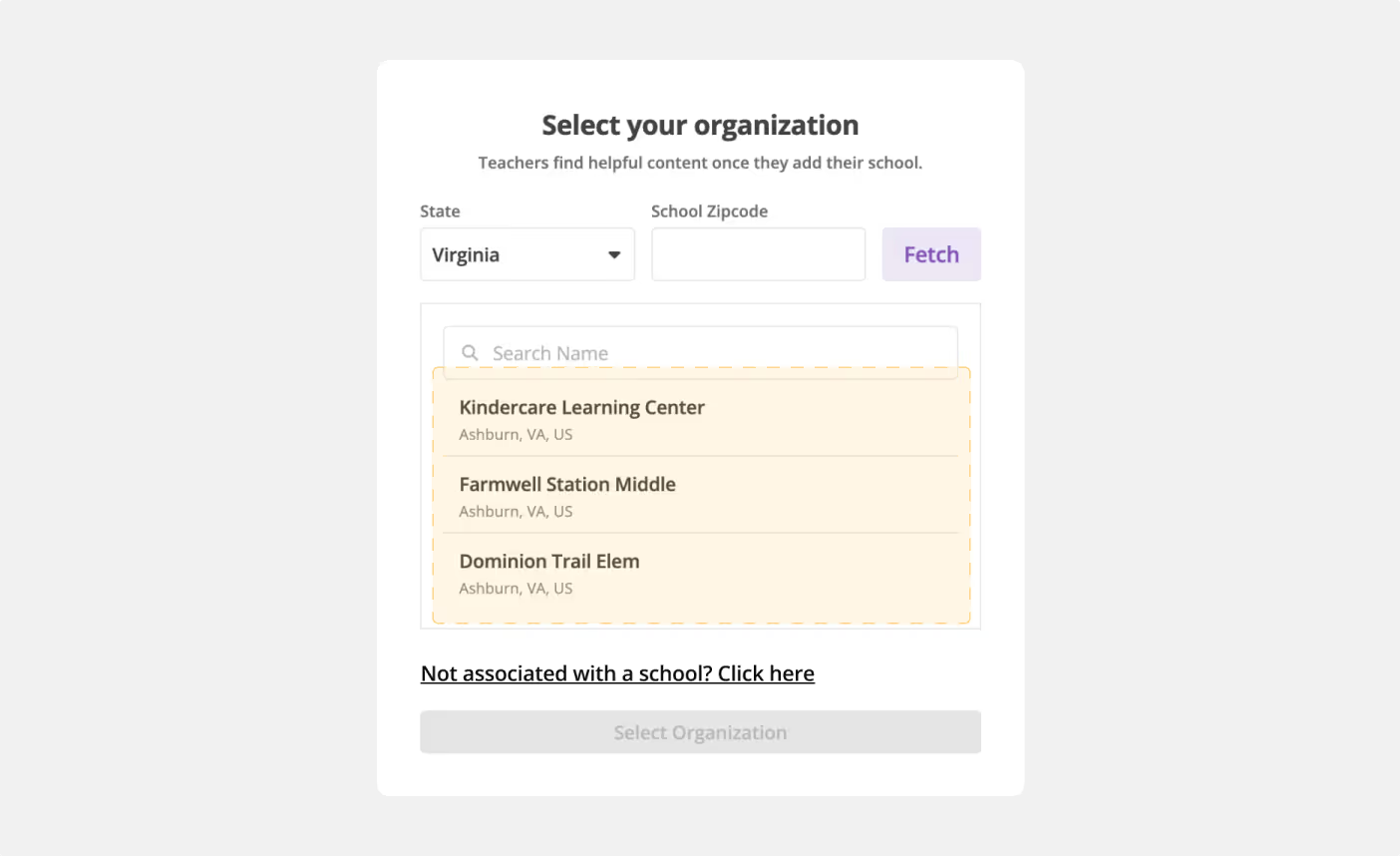
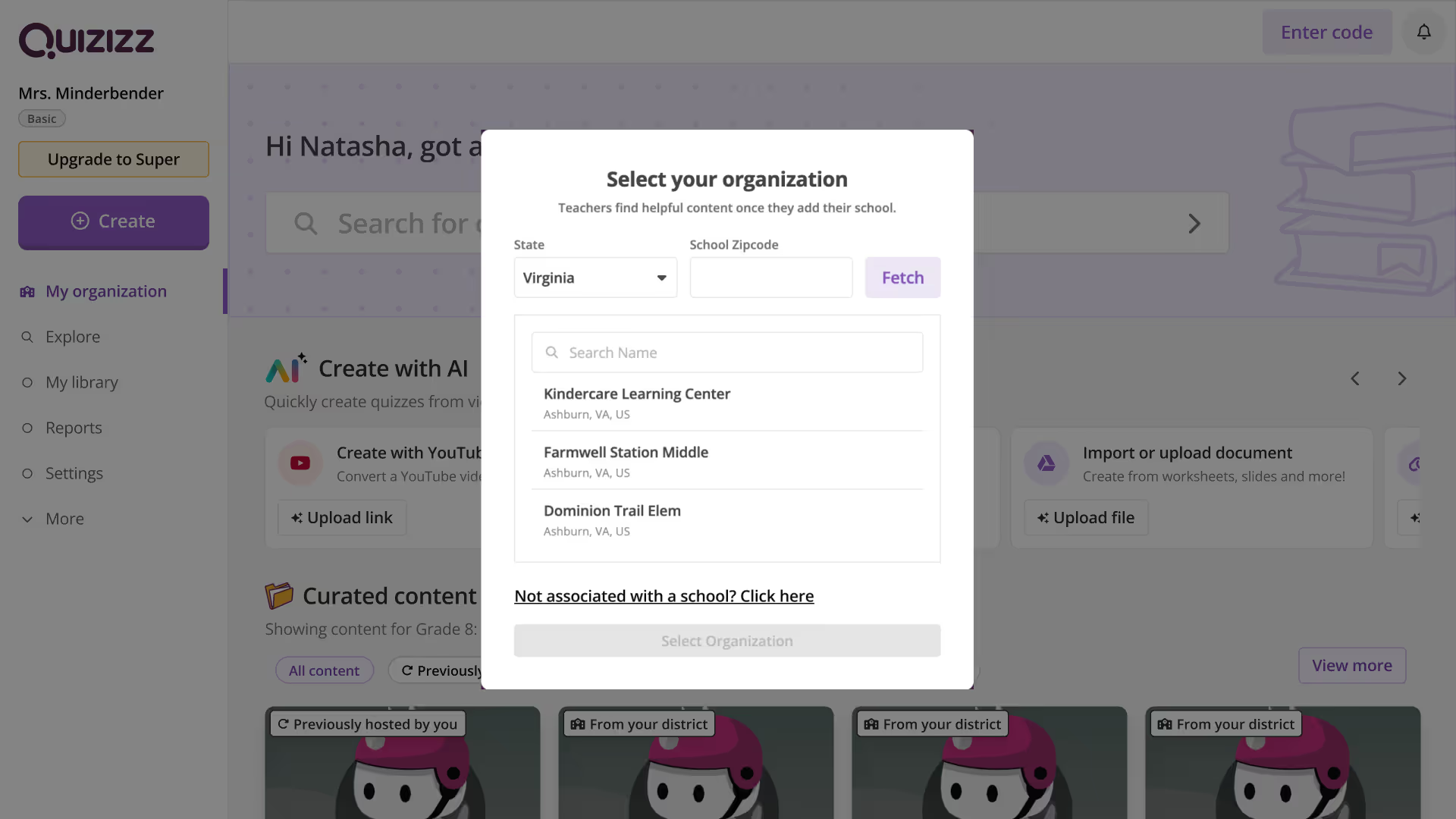
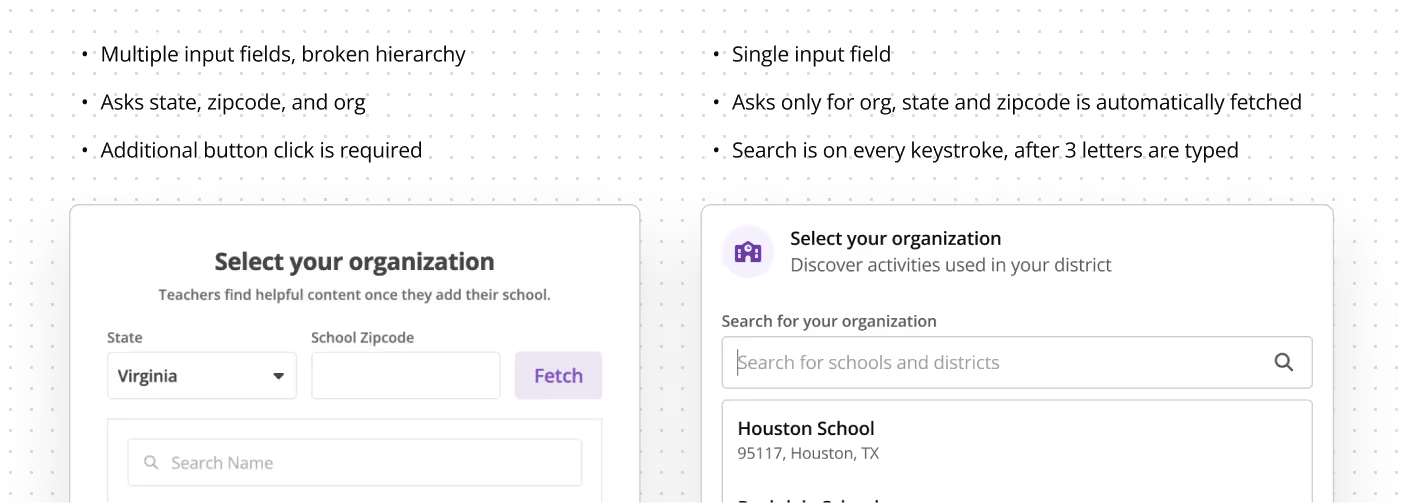
The modal demanded the user to fill several input fields, and an additional click on the 'fetch' button to see the relevant results.
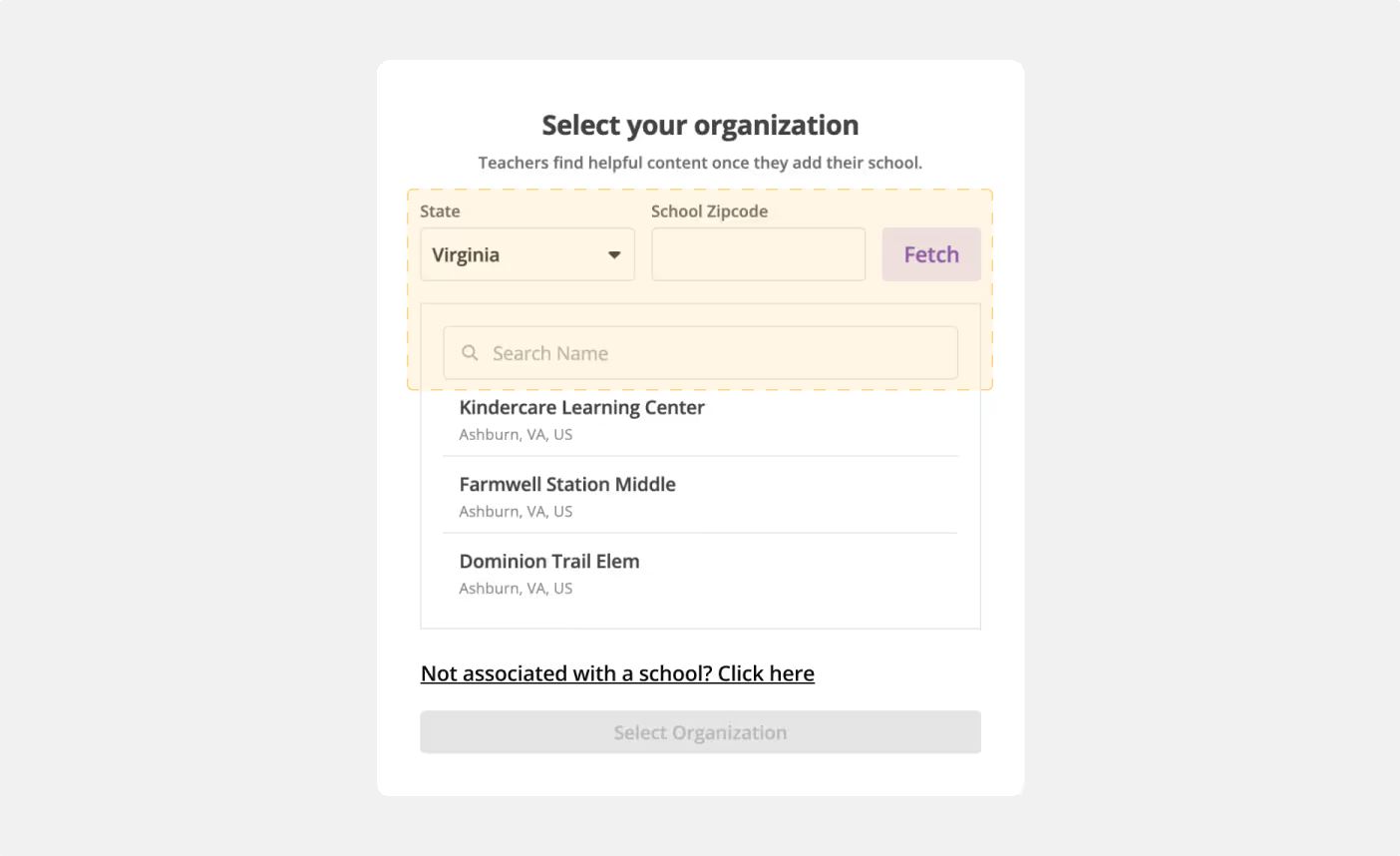
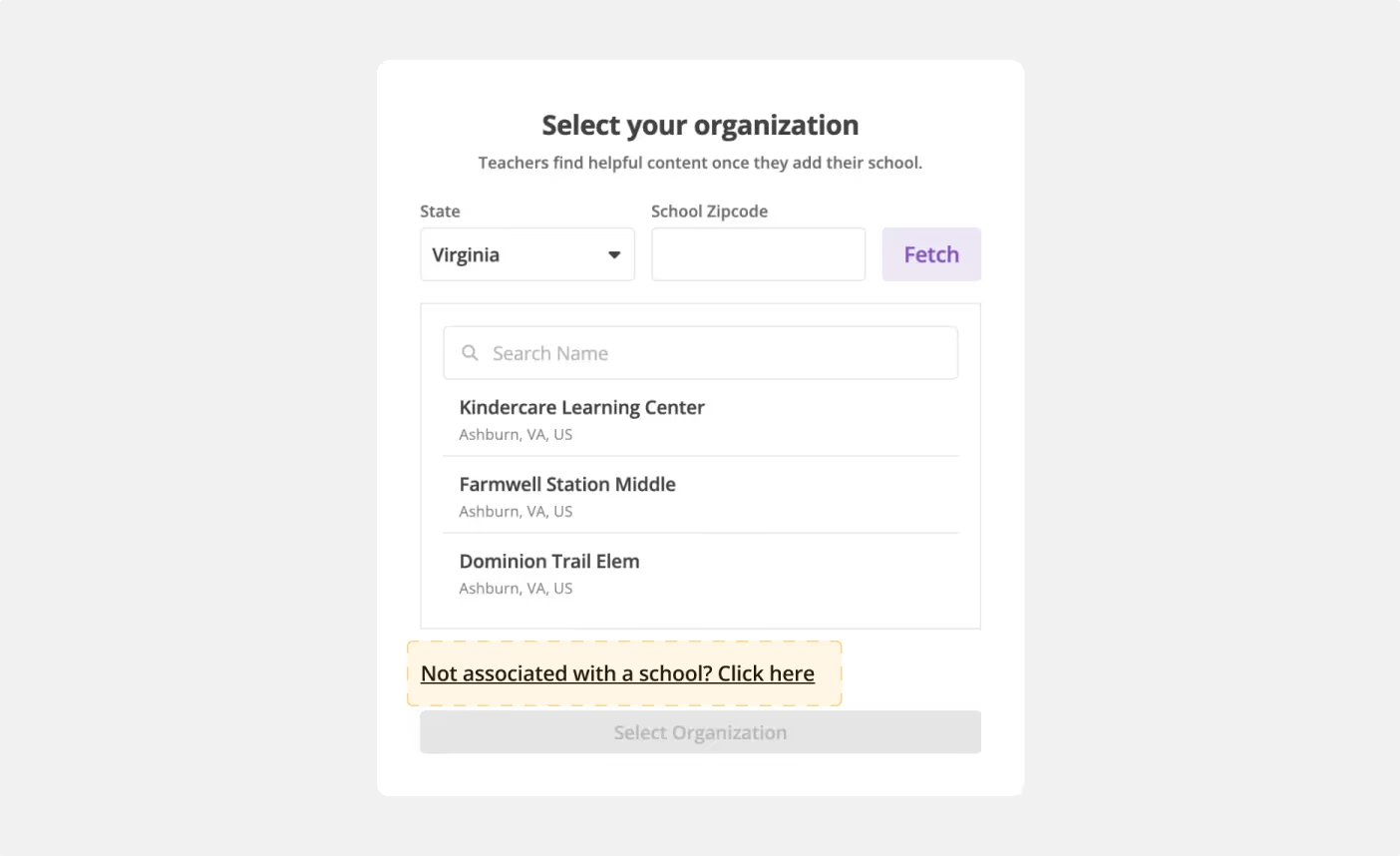
In front of so many inputs and dropdowns, the 'not associated with a school' seems like an easy out.
(More of a dev issue) The search wasn't working really well. The fuzziness had to be reduced.
During the onboarding, the user has to fill in their role - teacher, school admin, district admin, staff, tech coach, or other.
Currently we show both schools and districts to all users, but it should ideally depend on the role. Eg. Teachers and school admins should see only schools, district admins should see only districts, etc. This had to be scoped.
If the user searched for their org but could not find it in the list, there was no possible way to add it from there, or ask Quizizz to add it. In such a case, the user reverted back to skipping by selecting any org or saying that they're not associated with an org.
There are several touchpoints within the product to update your org. All of these were developed at different points of time, and hence have largely varying experiences.
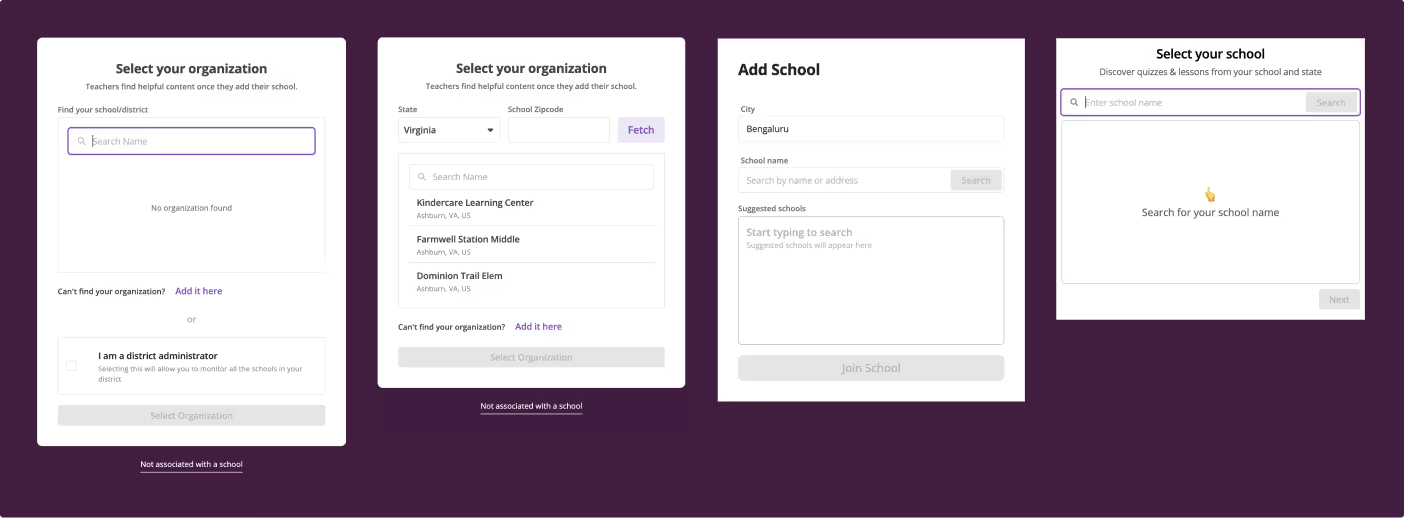
Let's see how the final solution tackled all these hassles.
Final solution
A cleaner, more direct approach to the org picker.
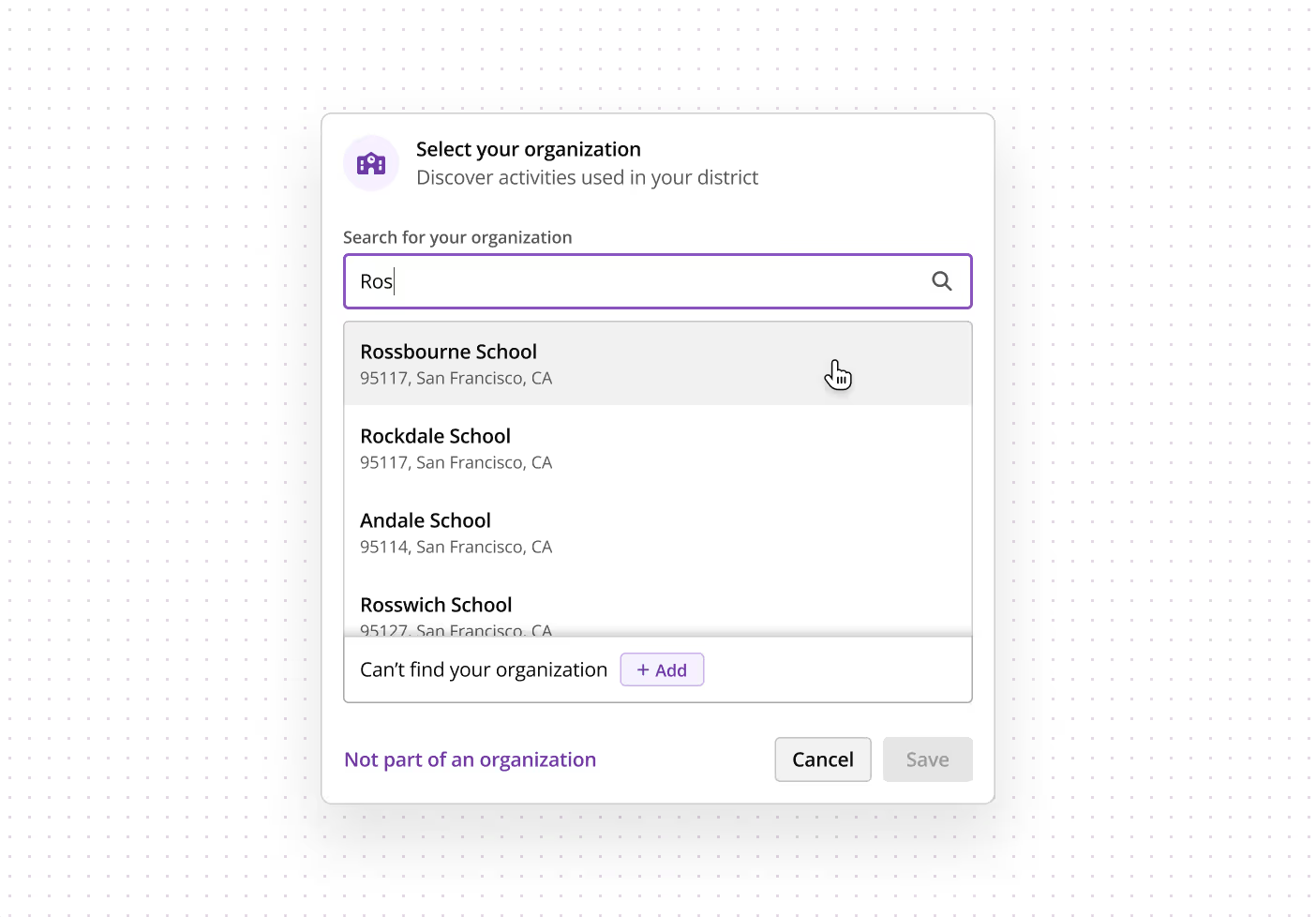
Let's go over each of the sections in detail.
As mentioned earlier, users with different roles. hence, only relevant org types should be shown to the said roles.
Moreover, if a user has been rostered to a school or a district paid plan, they should only see the relevant org so that the list is more concise.
Here is a more detailed version of how it works:
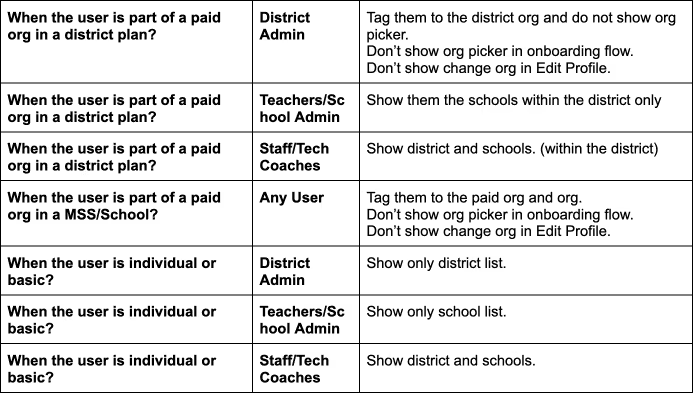
In addition to this, if a user signed up with their work email (which was close to ~50% of our audience), only orgs corresponding to that email domain are shown.
This is what all this means for a user:
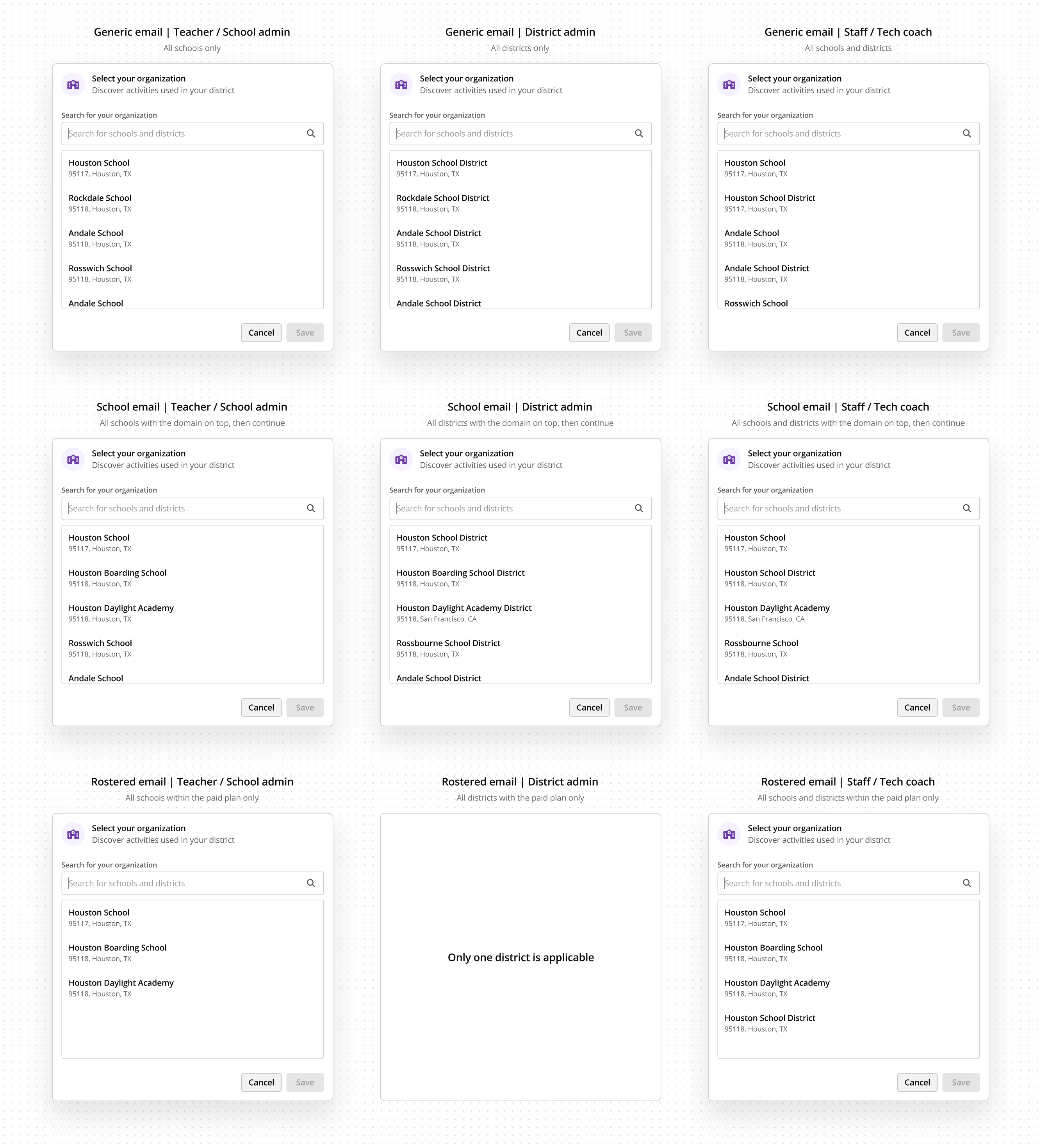
The default list is based on the location of the user. It starts with the nearest school, and moves on to the farthest, all within the user's state.
In the case of work-email-registered user, once the list of schools matching the domain names is exhausted, the default list continues.
The 3 inputs were reduced into a single one which asks only for the org name. The state and zipcode are fetched automatically.
Our list of orgs is fetched by the National Center for Educational Statistics (NCES) US. Although it covers a lot of educational institutes, it might not cover all. For example, several smaller county schools and independent education centres are missed out.
We hypothesised that such smaller institutes will anyway be nevertheless on Google Maps. hence, we can use the maps API in such cases. The API also offers a way to filter results by category of location - educational institutes, restaurants, tourist places etc. This was specially helpful, and we filtered places by educational institutes, training academies, sport centres, and a few others.
Hence, we added an option for the users to add their org in case we did not have it on our list.
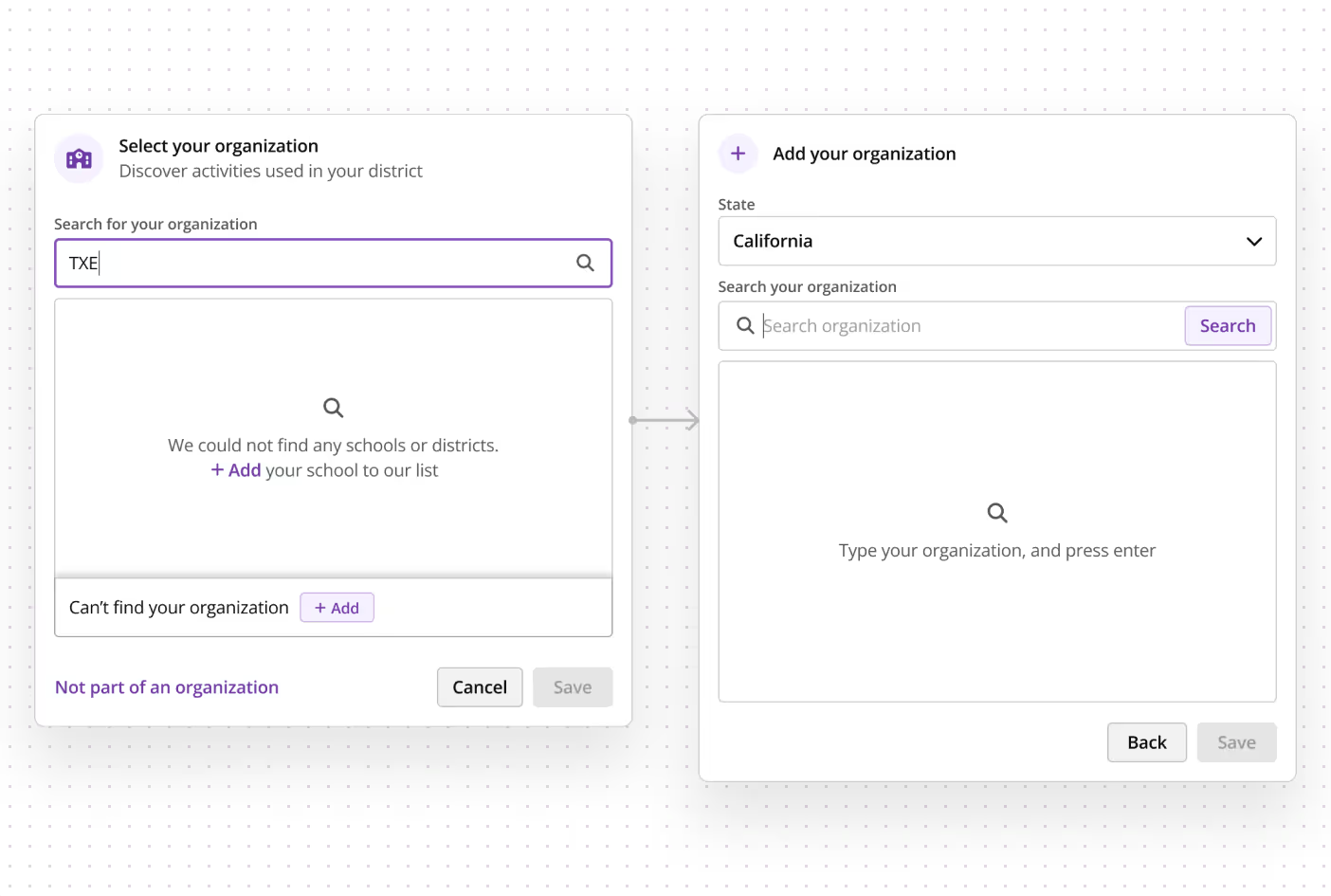
The search works in a similar manner as the previous search field. The only difference being that here being a state selector dropdown.
Google Maps API could be costly, and we were expecting users to rigorously use it. To keep the costs to a minimum, the 'Can't find your organisation' CTA is only shown after the user has types 3 characters in the search bar, hence proving that they have actually tried searching for their org but couldn't find it.
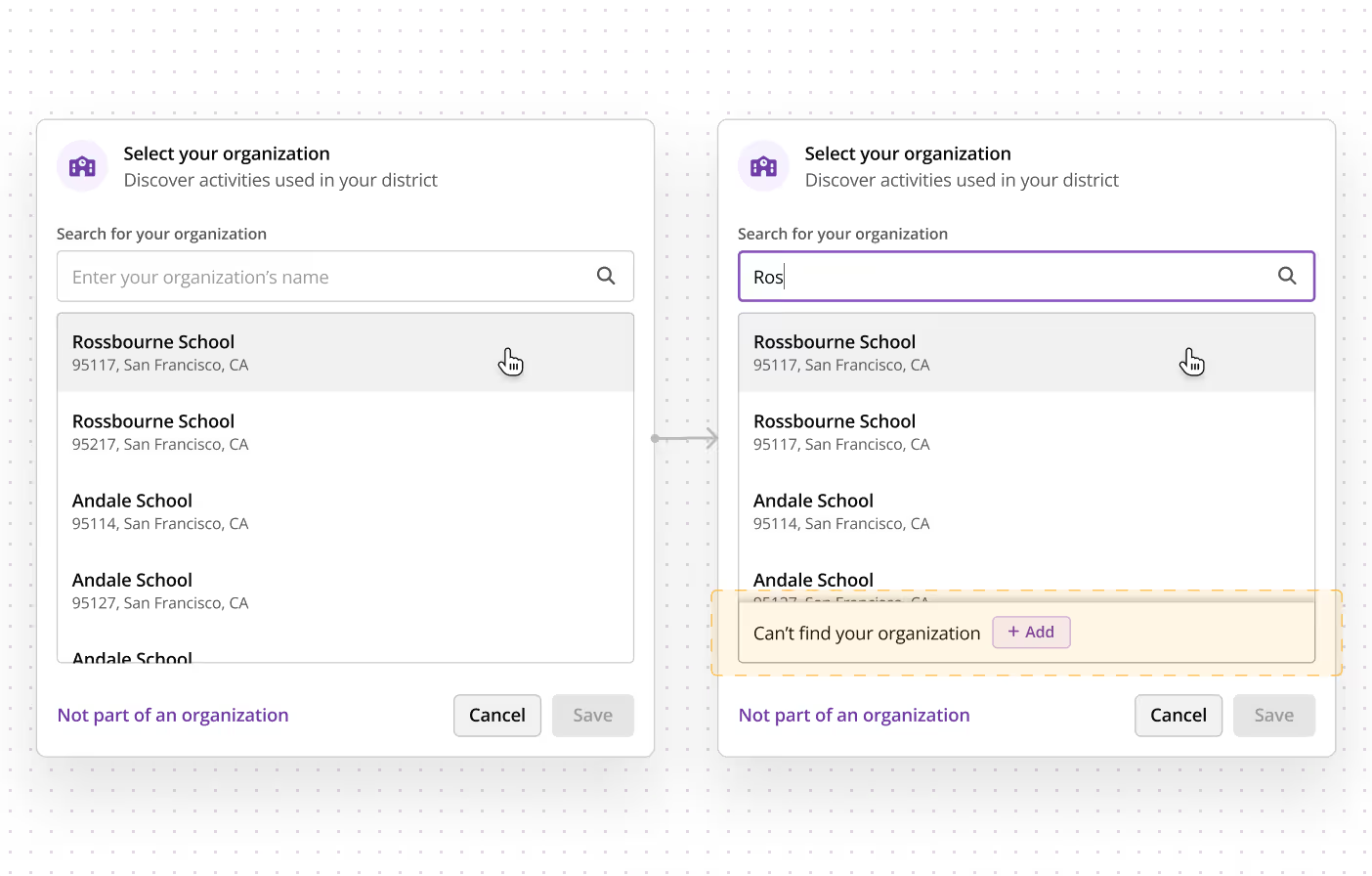
Similarly, a new API call is made only when the user presses 'enter' or clicks the 'search' button.
We dismissed this case. Because of our trust in the vast data that Google offers, this was unlikely.
Around 5% of educators are independent practitioners. Some might also use Quizizz outside their school, and need not associate their account with their school. For such cases, it was independent to have a CTA to declare that a user is not associated with a school.
This circles back to our previous problem, where teachers used this button as a means to skip this step, and our data accuracy plummeted.
To stop the users from outright clicking this button, a simple solution was proposed to show this button only after a delay. This way, only genuine users of this button, who are trying to find something just like this, will click it.
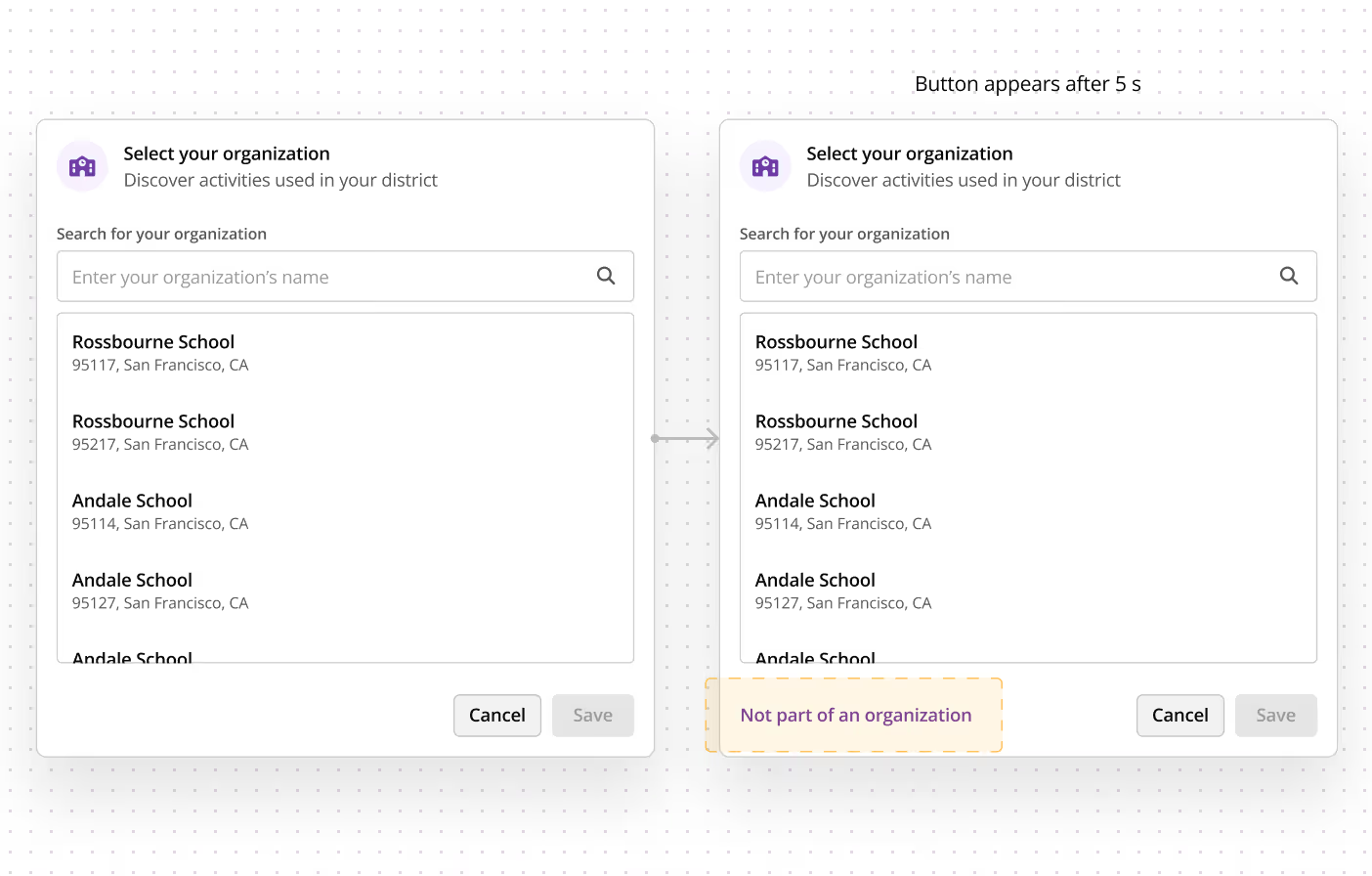
The solution worked exceptionally well, and now only 11% users opted for this (17% earlier).
A concern pointed out by paid orgs was that any user can claim to be a teacher in their org, select the org in the org picker, and access resources and teacher data from the school library. Admins pointed out that as a paid org they wanted security of their data.
To do this, we had to identify verified members of the org, and only grant access of these school-specific pages to them.
There are criteria to restrict these experiences:
There were several pages which we had to restrict. Here is a detailed view of what we restricted and for which user:
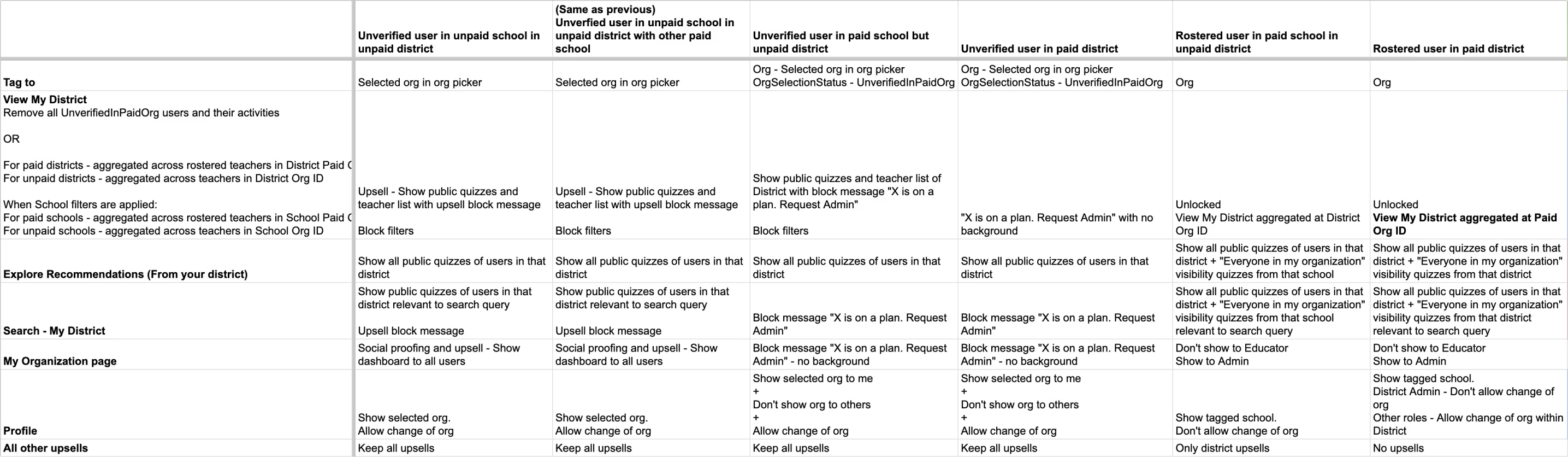
Here is a snapshot of how the blocked pages looked like:
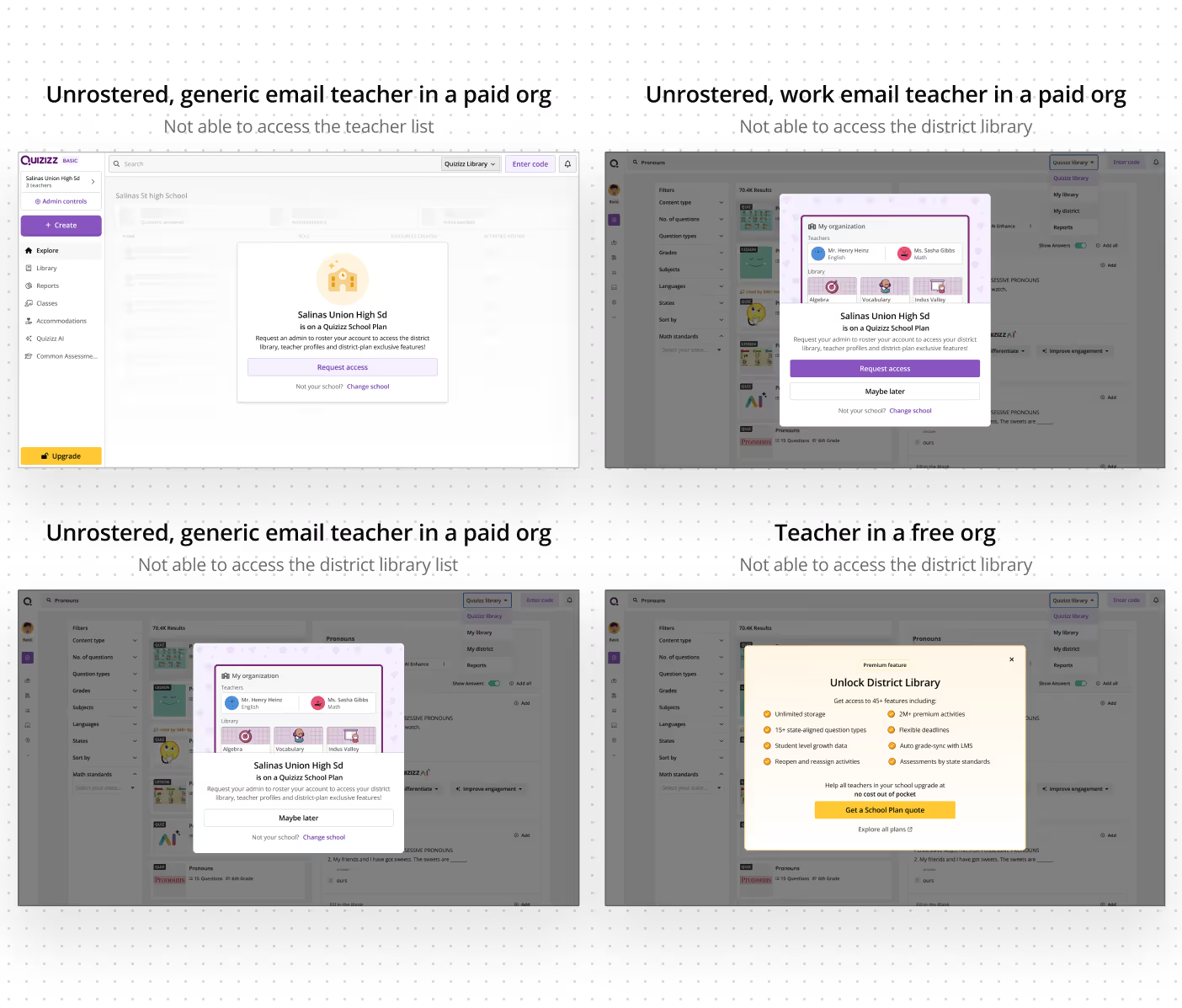
That's it folks!
Extras
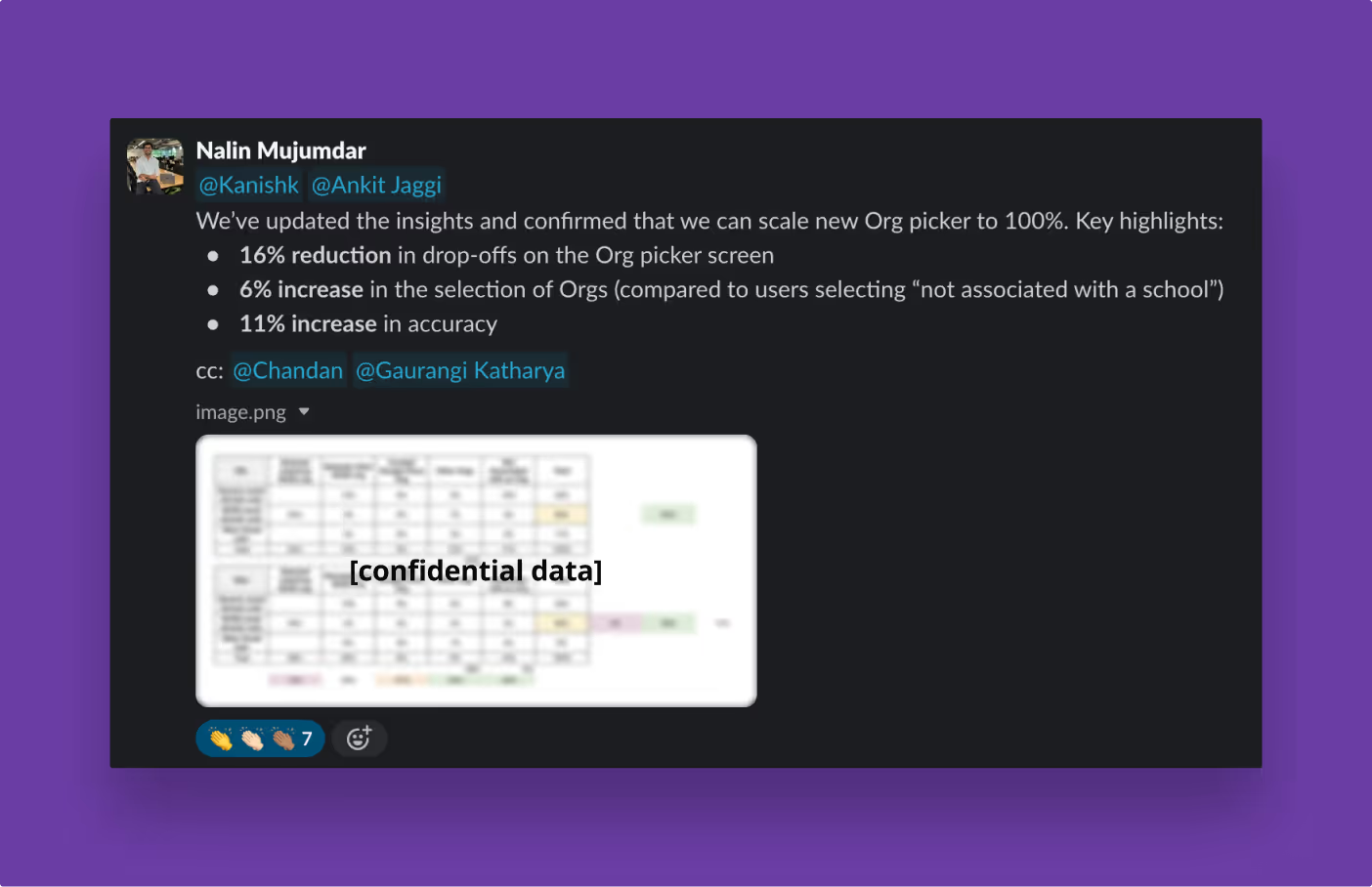
The project was appreciated by a lot of folks. The metrics were extremely favourable:
Here are some anecdotes:
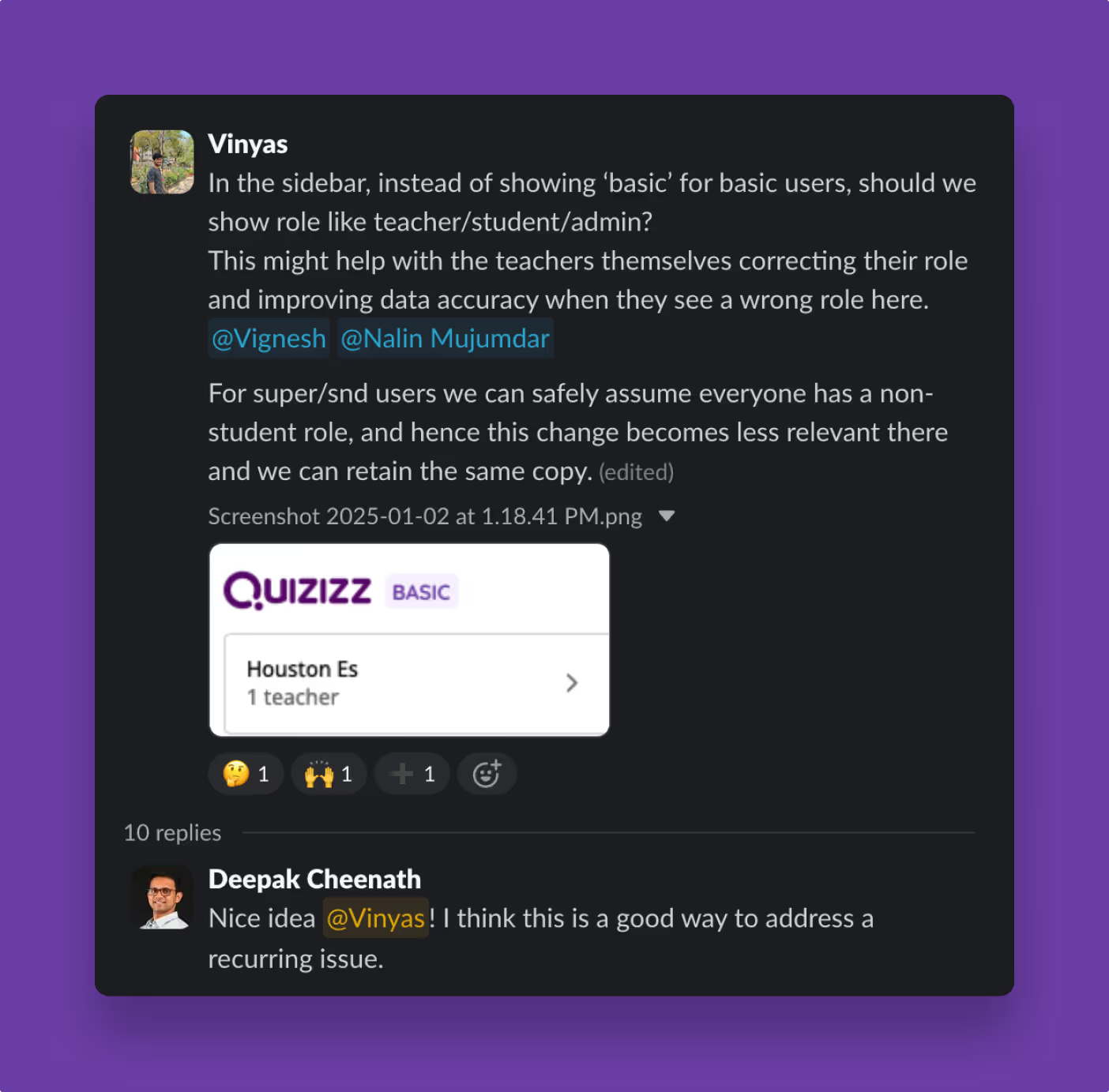
A future idea I proposed was to boost the data correctness, where some teachers had accidentally signed up as students. The idea was simple, appreciated, and executed within a day.
Yet another idea I had in the middle of this project was to remove the 'Not associated with a school' button.
In a step during the signup, we ask the user where will they use Quizizz:
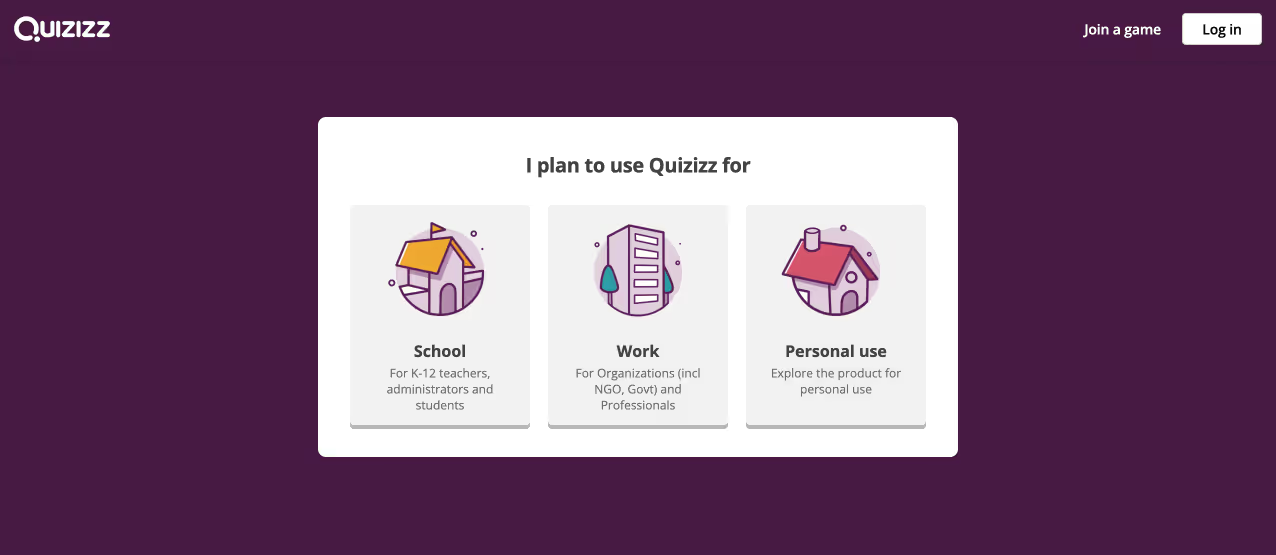
I hypothesised that the teachers who were not part of any school would select the 'personal use' option here. Hence any teacher who selects the 'school' option should see the org picker without the 'not associated...' button, while users who selected 'personal use' should see the button.
However, this idea was scrapped as some people argued that one could use Quizizz in their own practice while still being part of a school. This was also backed by data.
On clicking the 'not associated...' CTA, an idea was to pop up a form and ask them why are they not associated with an org. This would've helped us in building understanding of the use case of 11% of our user base.

But this idea was later scrapped fearing dropoffs.
Adios!


